Visual browsing
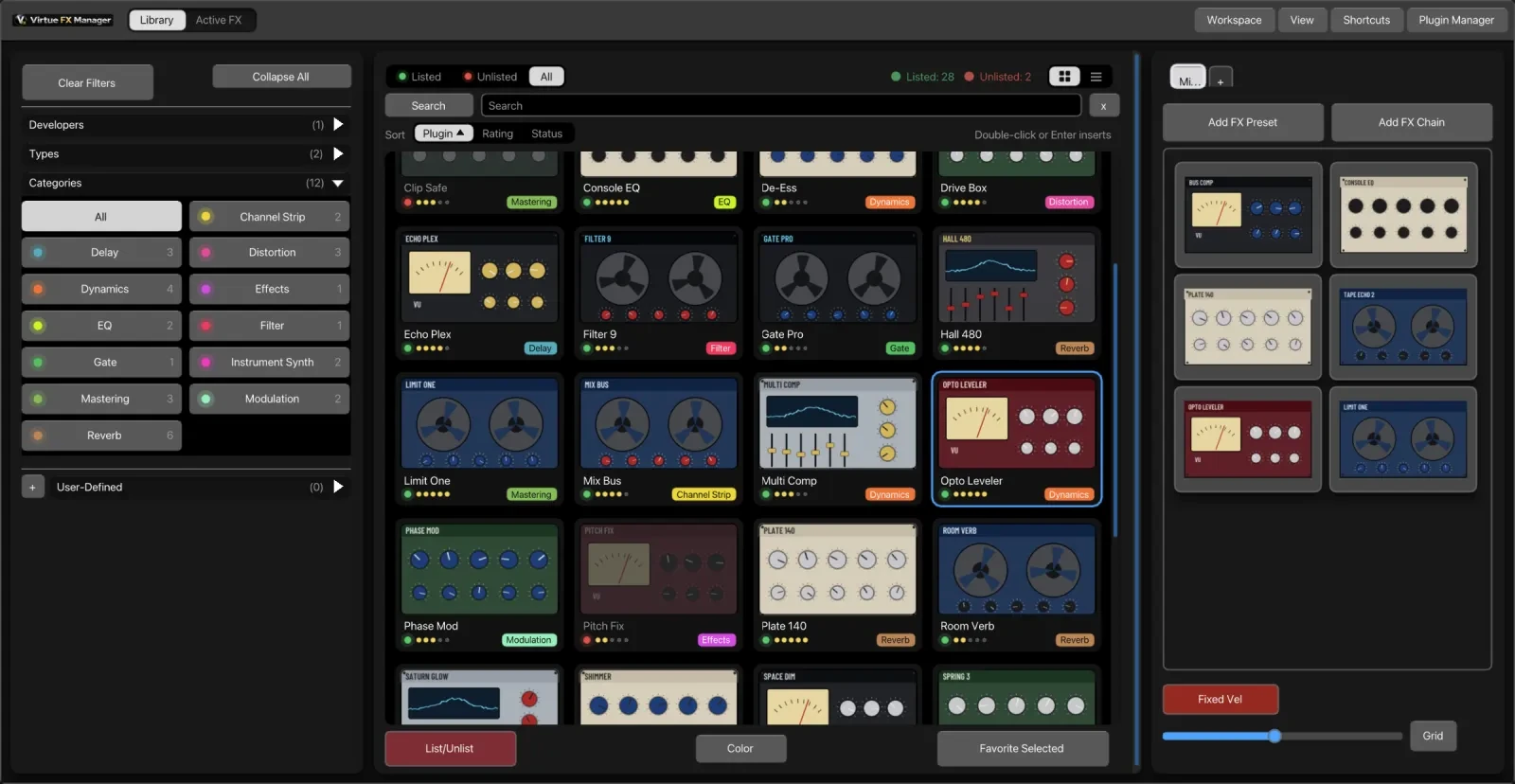
Every plugin can carry a real screenshot of its own GUI, captured automatically or by you, so you recognise it on sight instead of by name.
Virtue FX Manager (VFxM) is a native REAPER extension that replaces REAPER’s default FX browser with a visual, searchable one. It runs inside REAPER as a C++/Dear ImGui window — it is not a separate application, and it is not a VST/AU/CLAP plugin itself.
Visual browsing
Every plugin can carry a real screenshot of its own GUI, captured automatically or by you, so you recognise it on sight instead of by name.
One-action insert
Double-click or drag a plugin onto a track — or onto empty arrange space to create a track — and it is loaded with the right track type.
Favourites & FX chains
Build named boards of the plugins and chains you actually reach for, so your working set is a handful of clicks, not a 2,000-item alphabetical list.
Stays out of the way
No plugin is inserted, no track is created, and no REAPER project state changes unless you take an explicit action.
reaper_virtue.dylib
on macOS, reaper_virtue.dll on Windows) loaded from REAPER’s UserPlugins
folder.