Auto thumbnail scanner
The auto thumbnail scanner builds your visual library for you instead of capturing every plugin by hand. How it captures depends on your system:
- On the Mac (from 1.2.5) the scan runs in a separate helper app, VFxM Capture Helper, outside REAPER. A crashing plugin cannot take REAPER down.
- On Windows (from 1.2.5) the scan runs in a separate helper too,
virtue_capture_helper.exe, installed for your user and signed with the installer. It opens each plugin editor off-screen, photographs it and closes it, so nothing flashes on your screen or takes the keyboard focus, and a plugin that crashes there does not touch REAPER. - Only REAPER’s own JS effects use a track, and only a temporary one. The helper cannot open JS effects, so the scan puts each one on a temporary track in a scratch project tab of its own, photographs its window and removes the track. Your open project is never used. VST, VST3, AU and CLAP plugins never go on a track.
- VST2 plug-ins get plain cards, and on Windows CLAP plug-ins too. Capture them by hand.
Scan modes
Section titled “Scan modes”- Full library scan — from the settings menu (gear icon), scan every plugin, or restrict the run to only plugins missing a thumbnail.
- Targeted selection scan — select one or more plugins, right-click one of them, and choose Autocapture Thumbnail. The entry says how many it will do and queues them as one scan. Capture Thumbnail takes them one at a time, since it needs you there to frame each window. On the Mac, Autocapture on one card takes about 1.7 seconds, and the plugin list refreshes in the background.
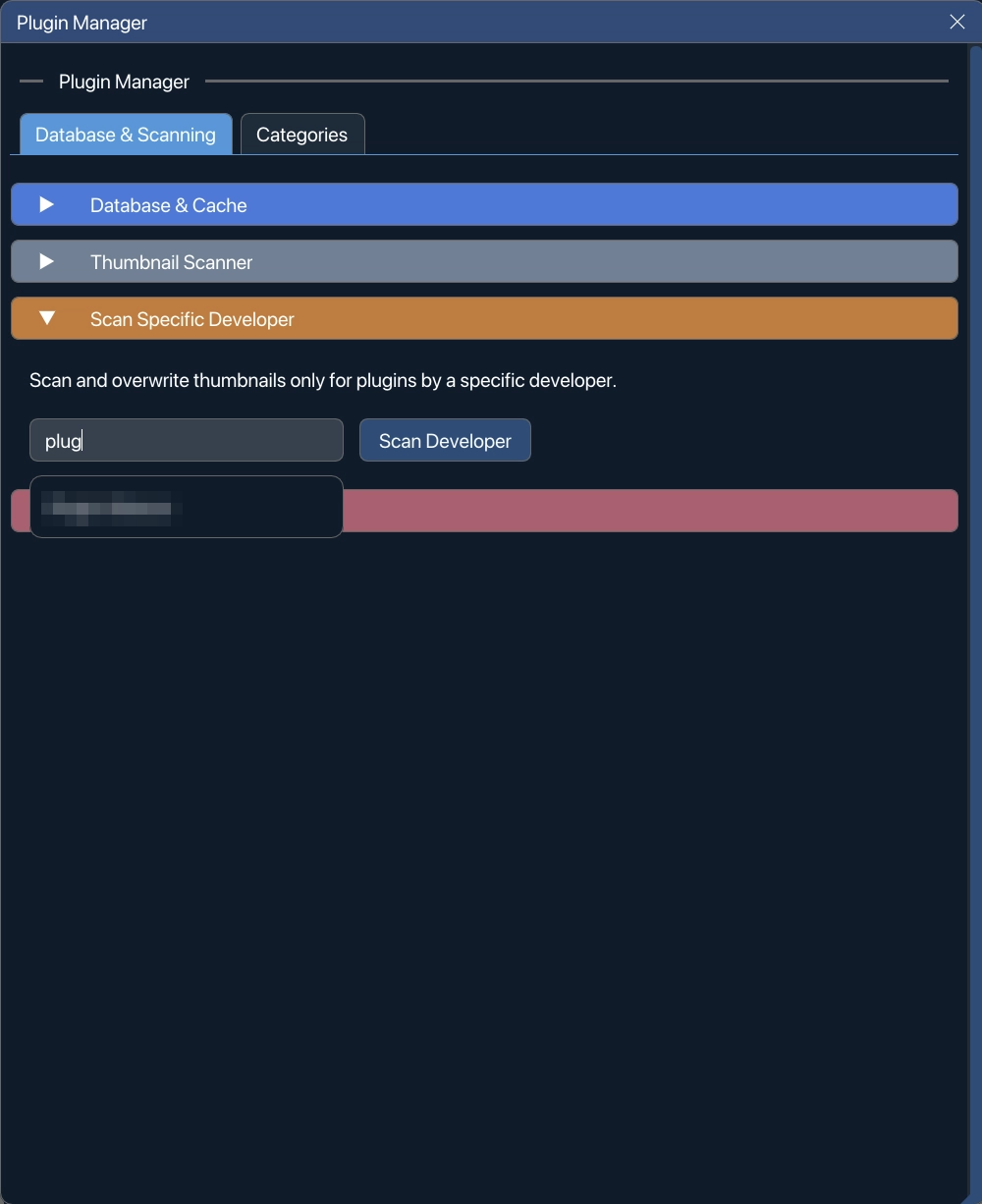
- Scan Specific Developer — run the scanner against a developer’s catalog. Several developers can be committed as chips and scanned as one batch; a chip matches the developer by exact name, and Enter commits the suggestion under the cursor.
The thumbnail folder setting lives at the top of this section.
The first scan on a Mac: Screen Recording
Section titled “The first scan on a Mac: Screen Recording”The first scan asks once for Screen Recording, with an explanation of why. Without it there are no automatic pictures: the scan stops with a message, the cards stay plain, and Capture by hand still works. See macOS permissions and screen recording.
While a scan runs on a Mac
Section titled “While a scan runs on a Mac”- Pause, Stop and Export Diagnostics are in the scan window.
- The scan window always has Stop, X and Esc.
- Broken plugins show in red, with the reason.
- Finding your plugins before the scan has a deadline.
- You do not have to watch it. If a plug-in puts up a popup, the popup is closed (or times out) and the plug-in is skipped, with a reason. VFxM’s own messages wait for the end of the scan, and the first-run helper note is a status line, not a dialog.
Plug-ins you do not have
Section titled “Plug-ins you do not have”Plug-ins that REAPER lists but the computer does not have are not listed and not scanned. VFxM checks Audio Units, VST, VST3 and CLAP; JSFX is not checked. They are kept if their folder is on a drive that is not plugged in.
When a plugin has no picture
Section titled “When a plugin has no picture”A plugin the helper cannot photograph — it crashes, draws nothing, or shows a dialog that will not close — gets a plain card with its developer, name and format. It is still in your list and works like any other card.
To give it a picture, right-click it and choose Capture Thumbnail (you frame the window yourself) or Autocapture Thumbnail (VFxM does it). Both also work on a whole selection.
On the Mac, a VST2 or CLAP plugin with no picture of its own shows its VST3 or AU sibling’s, and CLAP plugins are captured too.
If a scan stops partway
Section titled “If a scan stops partway”From 1.2.5 the scan runs outside REAPER on both platforms. If the helper crashes or is killed, the scan resumes where it stopped, with no duplicates. A plugin that fails five times in a row from one plug-in file has the rest of that file skipped for the remainder of the scan; its cards stay plain until the file changes or you capture one by hand.
If REAPER itself still closes during a scan, the interruption is handled the way it always was:
- Relaunch REAPER.
- VFxM detects the interruption and offers Resume Crashed Scan.
- The plugin that caused the crash is automatically blocklisted so the scanner skips it going forward — see Stability and the blocklist to review or clear it.
When a scan does not start
Section titled “When a scan does not start”A scan that cannot start says so, and why — one line in the status bar and one in REAPER’s console, with counts: how many already have thumbnails, how many are on the blocklist, how many are hidden.
See Thumbnail storage and memory for where captures are kept and how VFxM limits the disk space and memory a large library uses.