
Virtue Creative Systems · Shipping, 1.2.3

See your plugins.

REAPER's own browser already finds plugins. What it cannot do is show you one. Virtue FX Manager puts a picture of the actual interface on every plugin you own, so you recognise the thing you want instead of reading a list of names.

It is a native C++ extension for REAPER — not a plug-in you load on a track, and not a script. That is why it opens instantly on a library of thousands, and why it can reach parts of REAPER a script cannot.

Start the free trialBuy a licence — $29

10 days, fully featured. No credit card. Confirm your email to start.

  • Instant download
  • Secure checkout
  • Lifetime licence
  • Free updates
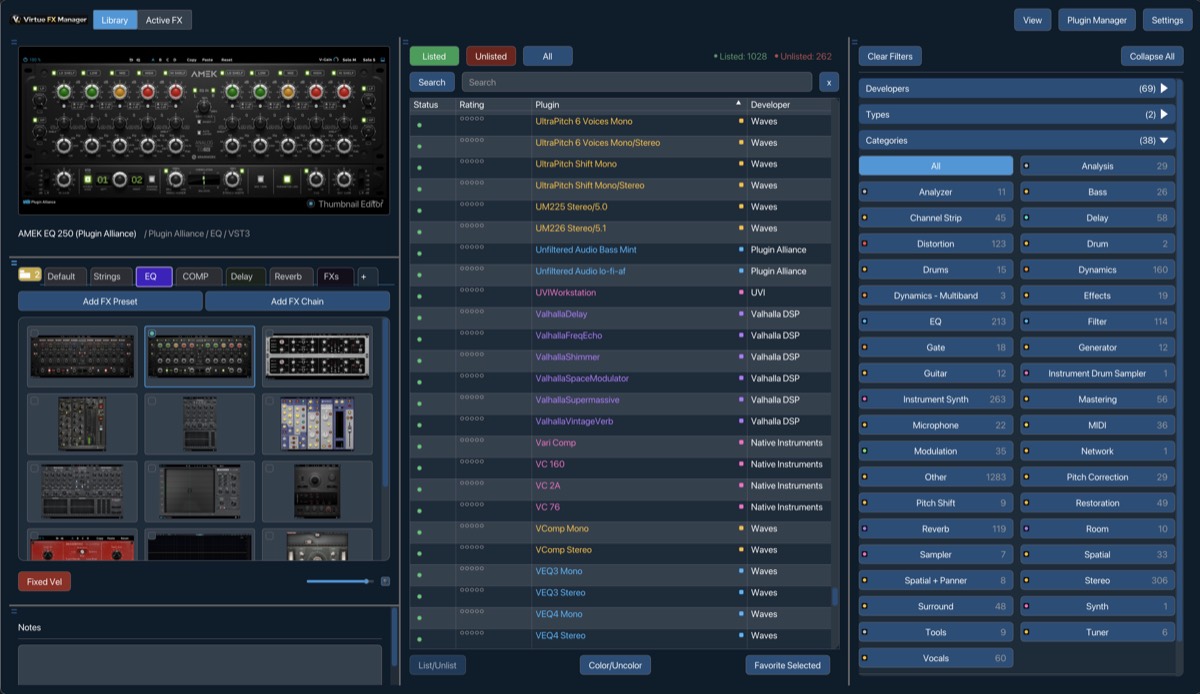
The Virtue FX Manager window in REAPER: a thumbnail library on the left, a filterable browser of over a thousand plugins in the centre, and category and developer filters on the right.

What it actually does

Four things, and the fourth is the one people keep.

In that order. Speed comes out of these rather than being a feature of its own.

01

Every plugin, as a picture of itself

A compressor looks like that compressor. You find things the way you find them on a desk — by recognising them — instead of reading a column of names that all begin with the same manufacturer. Nothing to draw and nothing to tag; the picture is the plugin.

02

Boards you build yourself

Favourites arranged the way you think, with artwork you choose: a photo of the amp, a shot of the hardware, whatever makes you recognise it in half a second. Vocals, drums, parallel paths — one board each.

03

FX chains as objects

Save a whole chain with its routing, give it a picture, and drag it onto a track. The chain stops being a preset buried in a menu and becomes a thing you can pick up.

04

Shortcut-driven, and all of it rebindable

Every action has a key, and every key can be changed. Against a stock browser you can only drive with a mouse, this is the part that stops feeling like a feature and starts feeling like the way you work.

Product Features

Creative Speed, without clutter.

VFxM is built to remove lists and menus, keeping your focus on the sound. Filter thousands of plugins in milliseconds, save favorites, write persistent notes, and load tracks instantly.
01 — VISUAL BROWSER

Browse by Thumbnail, Not Lists

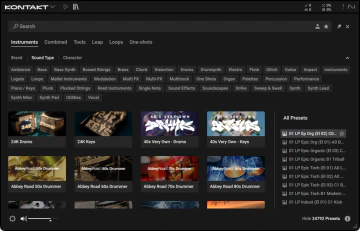
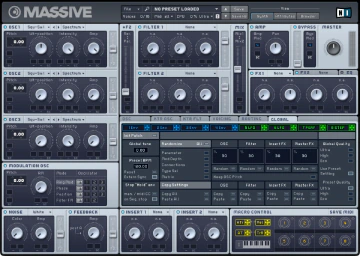
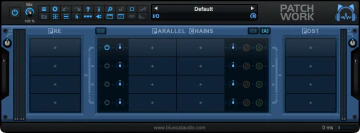
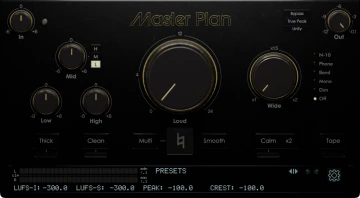
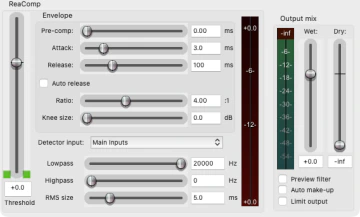
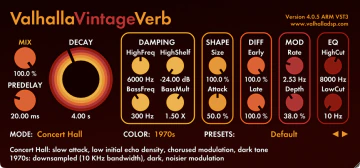
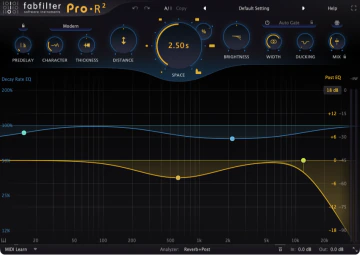
Reclaim your visual memory. Identify compressors, EQs, and instruments by their actual GUI layouts. Snaps screenshot thumbnails automatically.

Boring List (OLD)
ReaComp (Cockos)
Equalizer (Generic)
Saturator (Fictional)
VST3
Spectral EQ
GUI auto-captured into visual library thumbnail.
* Third-party UI screenshots are property of their respective developers
02 — CUSTOM BOARDS

Custom Favorites & FX Chains

Create dedicated workspace boards for vocals, drums, master bus, or synths. Drag plugins from your library straight into your boards.

VOCALS
DRUMS
MASTER
Parametric EQAudio DSP
+
Bus CompressorAudio DSP
+
LIBRARY BROWSER
Multi-Patch SynthVST3
Wavetable SynthCLAP
Master LimiterVST3
Multi-Patch SynthAudio DSP
* Third-party UI screenshots are property of their respective developers
03 — FX CHAINS

Insert Full Signal Chains

Group plugins together (e.g., Gate → EQ → Comp). Double click to instantiate the entire signal chain into REAPER sequentially in one action.

GATE ▸ EQ ▸ COMPRESSOR
04 — DAW INTEGRATION

DAW Bridge Communication

VFxM talks to REAPER directly. Double-click to load onto active tracks, or drag card thumbnails into REAPER's arranger to auto-create track pathways.

VFxM LIBRARYVST3 / CLAP
Wavetable SynthCLAP
Audio DSP
Sample EngineVST3
COCKOS REAPER TRACKS
1 Lead Vocal
2 Bass Loop
3 Wavetable Synth (VST3)
CREATING...
* Third-party UI screenshots are property of their respective developers
05 — SEARCH & FILTER

Slice Through Large Libraries

Filter by developer brand name, plugin format (VST, VST3, AU, CLAP, JSFX), or search by category keywords in milliseconds.

Search by developer or category...|
ALL
VST3
AU
CLAP
Master CompressorVST3
Core DynamicsDynamics
Vintage ReverbAU
Classic ReverbsReverb
Multi-FX RackVST3
FX DSP LabMulti-FX
Space ReverbVST3
Ambient SpaceReverb
* Third-party UI screenshots are property of their respective developers

Track & Monitor FX Management

Inspect real-time plugins loaded on your selected REAPER track. Easily reorder, bypass, or float FX windows, and manage dedicated master monitoring plugins (room correction, meters, headphone compensation) in a clean separate tab.

The VFxM interface: plugin library on the left, a filterable browser with 1,000+ plugins in the center, and category and developer filters on the right.
Setup Process

Three Steps. Scan, board, perform!

Getting VFxM running inside Cockos REAPER is completely automated. Run the scan once, map your boards, and speed up your workflow.
STEP 01

Scan Plugin Library

VFxM automatically scans your plugin paths (VST, VST3, AU, CLAP, JSFX) in the background. It spins up instances on a dummy track to capture screenshots and build your visual grid library in minutes, skipping crash-prone wrappers automatically.

SCANNER MONITOR v1.0
Scanning VST3 paths...
Generating thumbnail caches...
Safely blocklisted 2 crashes
Visual library scan complete!
STEP 02

Build Layout Boards

Organize your frequently used EQs, limiters, and synth channels into horizontal tabs. Group chains together to import them onto a track with a single shortcut command.

VOCALS
DRUMS
MASTER
S
STEP 03

Perform & Load

Select tracks in REAPER, double click cards in VFxM to load, or drag and drop onto your session grid to create new tracks instantly.

DOUBLE CLICK TO LOAD

Languages

Not just the menus.

Italian, Portuguese, Spanish, German and French are translated across the whole interface, Settings and the Plugin Manager included, except the 48 strings 1.2.3 added last, which show in English until they are translated. Chinese, Hindi, Arabic, Bengali, Russian and Urdu cover 569 of 593 strings, 96% — a machine-checked count, not yet a native speaker's review. There is no right-to-left layout.

Right-to-left layout is not built yet, so Arabic and Urdu are readable but laid out left to right. I would rather say that here than have you find it after paying.

Before you install it

The honest edges.

The trial is the whole product, so you will find all of this out anyway. Better here.

REAPER only
It is a REAPER extension, not a plug-in you load on a track. It does not run in other hosts, and there is no VST3 or AU build of it.
Older Macs
The window is drawn with Metal, so it needs a Mac that supports it — 2012 or later in practice. On a machine without it you get a message at start-up and the window does not open; REAPER itself is unaffected. This is the hardware, not the OS: a 2011 Mac running a newer macOS through a patcher still cannot run it.
Windows SmartScreen
From version 1.2.3 the Windows installer, its uninstaller and the extension are code-signed and timestamped, so the security prompt names the publisher as Rodney Florencio da Costa rather than saying the publisher is unknown. SmartScreen can still show its blue "Windows protected your PC" screen for some weeks, because reputation is scored by how many people have run a file and a new certificate starts at zero — choose More info → Run anyway. We are not going to pretend the warning is anything other than what it is.
Categories are a starting point
Plugins are sorted automatically on the first scan and it will not be perfect. The sorting is there to save you the first hour, not to be argued with — everything can be recategorised, and most people do.
Disk space
The thumbnail cache is real files on disk. The 1.2.2 cap on capture width saves about 4 per cent of it, and only after plugins are re-captured — the improvement worth having is in memory, below.

Specifications

Everything you would otherwise have to ask.

Current version
1.2.5, the only stable build offered for download. Earlier versions stay in the archive, labelled as superseded.
Platforms
macOS as a universal binary, Apple Silicon and Intel, and Windows 11. Tested on macOS Tahoe and Windows 11; earlier versions may work and are untested.
Formats scanned
VST, VST3, Audio Units, CLAP and JSFX — instruments and effects alike.
Trial
10 days, fully featured, once per machine. No credit card. Confirm your email to start.
Licence
$29 once, with 2 concurrent activations. Release a seat by deactivating in the app, from the licence portal, or with Reset & Re-bind on the splash screen.
Working offline
Once a machine is activated it stays licensed offline indefinitely. There is no grace period, nothing expires and nothing has to be re-validated; the token refreshes quietly if a connection happens to be there.
Updating
Installing over an existing version never removes favorites, banks, thumbnails, notes, ratings or categories. A clean start is a separate, deliberate choice.
Interface scale
Eight steps — 75, 85, 100, 115, 125, 150, 175 and 200 per cent. Padding, frame heights and button minimums scale with the text, not just the font.
Thumbnail memory
The GPU texture cache is capped at 256 MB with least-recently-used eviction. Measured on a 953-plugin library it would otherwise reach roughly 1.84 GB, so the ceiling is about a sevenfold reduction — and it applies the moment the build is installed, with nothing to rescan.
Getting your key back
Recoverable from the site at any time with the email you bought it with. It is a license key, and you never need to keep a copy of it anywhere we cannot reissue.
Licensing Plans

One payment. No monthly subscriptions.

VFxM

Virtue plugin manager for Cockos REAPER
$29USD
2 concurrent activations included
  • ✓ Visual thumbnail grid, triggered in-app
  • ✓ Unlimited custom layout boards
  • ✓ Millisecond search & multi-column filtering
  • ✓ Background scanning engine with crash blocklisting
  • ✓ DAW track drag-and-drop creation
  • ✓ Tested on macOS Tahoe & Windows 11 — try the 10-day trial on your system first
Buy License$29 USD
  • Instant download
  • Secure checkout
  • Lifetime licence
  • Free updates
WINDOWS & macOS
FAQ

Frequently Asked Questions

Which Cockos REAPER versions are supported?+
VFxM supports REAPER v6.0 and above. It runs as a native extensions module, seamlessly communicating with REAPER’s internal project models.
Does VFxM support third-party audio plugin formats?+
Yes. It automatically scans and displays thumbnails for VST, VST3, Audio Units (AU), CLAP, and JSFX. Both instruments and effect processors are supported.
Does it support Apple Silicon (M1/M2/M3) Macs?+
Yes, natively on both Apple Silicon and Intel Macs. One hardware requirement: on macOS, VFxM requires Metal graphics support — in practice a Mac from 2012 or later. On a Mac without Metal the VFxM window cannot open; REAPER itself is unaffected. This is hardware, not OS, so a 2011 Mac running a newer macOS through a community patcher still cannot run it. VFxM is tested on macOS Tahoe and Windows 11; it may also work on earlier OS versions, but try the 10-day trial on your system before buying to confirm.
How does the background thumbnail scanner work?+
The scanner opens each plugin on a temporary hidden track, captures its graphical interface, and crops it to build a visual grid card. If an unstable plugin crashes, VFxM automatically blocklists it and resumes scanning, preventing DAW locks.
How many computers can I install a single license on?+
The Commercial License includes 2 concurrent activations, allowing you to use VFxM on your studio workstation and your mobile laptop simultaneously.
Do I need a continuous internet connection?+
No. VFxM only needs an internet connection during the initial license key activation. Once activated, the licensing system functions entirely offline.
What is the refund policy?+
Digital sales are final by default — that is what the free 10-day trial is for, and it is the same build as the paid release. Refunds are considered for duplicate purchases, delivery failures and confirmed technical access problems, and statutory withdrawal rights, including those in the EU and UK, always apply. Purchases are handled by our merchant of record, whose terms apply alongside ours. The full policy is at /legal/refund-policy/.

Try it on your own library.

The trial is the full product for 10 days. It asks for no card and no account, and the thing that decides it is whether your own plugins look right in it — which we cannot show you from here.

  • Instant download
  • Secure checkout
  • Lifetime licence
  • Free updates

Also being built: Virtue Console, a mixer with real metering on every track.