Keyboard shortcuts and gestures
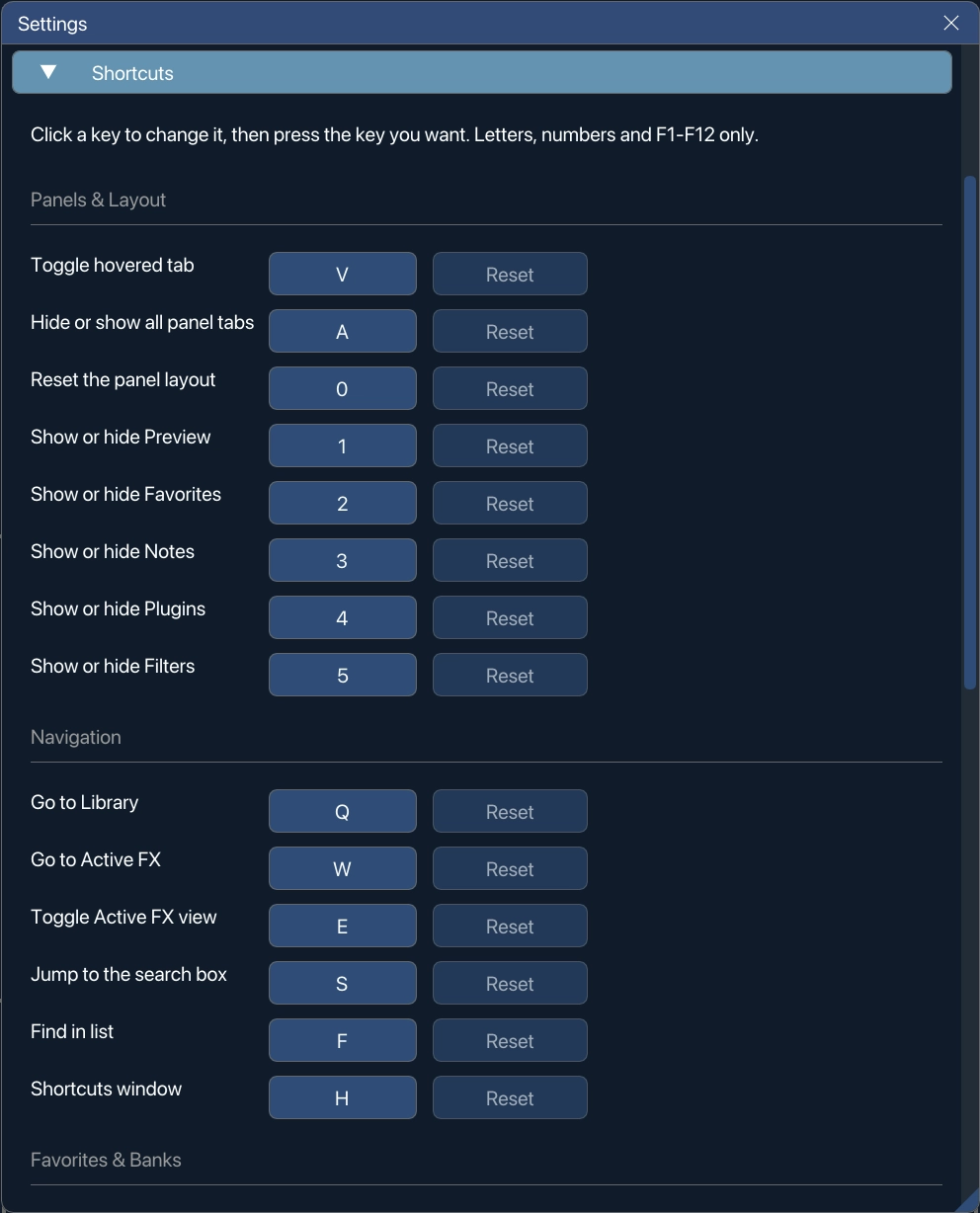
Every shortcut in VFxM can be changed. From 1.2.3 shortcuts have their own Shortcuts menu on the top bar, and Settings is a gear beside it. The menu opens with Export Shortcuts and Import Shortcuts, then Edit Shortcuts… and the help window, then every binding by group with its key printed beside it — the same groups the keyboard shortcuts reference uses, so the two read the same way round.
From 1.2.5 the Shortcuts menu, like every menu, has a new design, and shortcuts follow your keyboard layout — AZERTY, QWERTZ and others, Redo included. New keys in 1.2.5: P, I, Shift+Enter, Alt+Enter, Cmd/Ctrl+A and J — see the reference.
To change one, click the key beside an action and press the key you want. Letters, numbers and F1–F12 are accepted. A key that is already in use is refused and the row tells you which action holds it, so two actions can never collide. Reset puts a single action back to its default and is greyed out until you have changed that one; hovering it tells you which key it will go back to. Clearing a binding leaves an action with no key, which is remembered and is not the same as resetting it.
Your bindings live with the rest of your settings and survive updates.
Moving your shortcuts to another machine
Section titled “Moving your shortcuts to another machine”Shortcuts → Export Shortcuts writes your bindings to a file; Import Shortcuts reads one back. The file is keyed by action, not by the label on screen, so it carries between versions and between machines set to different languages. Saved workspaces travel in the same export.
Import replaces the whole set rather than merging. A set of shortcuts is one layout, not a bag of independent settings: a merge would leave you with some keys from the file and some from before — an arrangement you had never seen on either machine — and could put two actions on one key. Anything the file does not name goes back to its default, exactly as on a machine never rebound.
An import refuses, counts and reports anything that would leave you worse off: an action this build does not have, a key that cannot be bound by hand (Esc, for one), or the same key claimed twice. A silent skip is how someone ends up sure an import worked while one of their keys sits on its default.
This page covers the parts that behave like a setting rather than a key.
Closing the window with Esc
Section titled “Closing the window with Esc”Pressing Esc closes the main VFxM window. This shortcut is automatically disabled whenever it would interrupt something you’re doing:
- a text field has focus,
- a popup or dialog is open,
- the splash screen is showing, or
- an inline thumbnail manager is open.
Multi-select modifiers
Section titled “Multi-select modifiers”Cmd/Ctrl + Click and Shift + Click both extend a selection across the plugin browser and favourites — see multi-select batch insert for what a multi-selection can do once you have one.