/* global React, ReactDOM, Lenis, docData */
const { useState: useStateA, useEffect: useEffectA } = React;

// Smooth scrolling hook
const useLenis = () => {
  useEffectA(() => {
    if (typeof Lenis === 'undefined') return;
    const lenis = new Lenis({
      duration: 1.05,
      easing: (t) => Math.min(1, 1.001 - Math.pow(2, -10 * t)),
      smoothWheel: true,
      wheelMultiplier: 1.0,
      touchMultiplier: 1.2,
    });
    let raf;
    const tick = (time) => {
      lenis.raf(time);
      raf = requestAnimationFrame(tick);
    };
    raf = requestAnimationFrame(tick);
    return () => {
      cancelAnimationFrame(raf);
      lenis.destroy();
    };
  }, []);
};

// Mouse tracking glow hook
const useMouseGlow = () => {
  useEffectA(() => {
    const onMove = (e) => {
      document.documentElement.style.setProperty('--mouse-x', `${e.clientX}px`);
      document.documentElement.style.setProperty('--mouse-y', `${e.clientY}px`);
    };
    window.addEventListener('pointermove', onMove);
    return () => window.removeEventListener('pointermove', onMove);
  }, []);
};

// Top Header Bar
const TopHeader = () => {
  const activeLang = (window.VirtueI18n && window.VirtueI18n.getLanguage) ? window.VirtueI18n.getLanguage() : 'en';
  return (
    <header className="site-header">
      <a href="../#" className="site-header-title">
        <svg viewBox="0 0 100 100" fill="none" xmlns="http://www.w3.org/2000/svg" style={{ width: 22, height: 22 }}>
          <rect x="20" y="25" width="60" height="50" rx="10" fill="rgba(56, 189, 248, 0.15)" stroke="#38bdf8" strokeWidth="6" />
          <line x1="35" y1="50" x2="65" y2="50" stroke="#38bdf8" strokeWidth="6" strokeLinecap="round" />
          <circle cx="50" cy="50" r="10" fill="#fff" stroke="#38bdf8" strokeWidth="4" />
        </svg>
        <span>Virtue</span> FX Manager
      </a>
      <div className="site-header-actions">
        <a href="#" className="header-btn header-btn-secondary active">Help Docs</a>
        <a href="../contact/" className="header-btn header-btn-secondary">Contact</a>
        <a href="../download/" className="header-btn header-btn-secondary">Download</a>
        <a href="../store/" className="header-btn header-btn-primary">Buy License</a>
        <select 
          data-language-select 
          defaultValue={activeLang}
          className="lang-select-dropdown"
          style={{ 
            background: 'rgba(255,255,255,0.06)', 
            color: 'var(--t)', 
            border: '1px solid var(--line)', 
            borderRadius: '6px', 
            padding: '6px 12px', 
            fontSize: '13px', 
            cursor: 'pointer', 
            outline: 'none',
            fontFamily: 'inherit',
            fontWeight: '500',
            transition: 'border-color 0.2s, background-color 0.2s',
            marginLeft: '8px'
          }}
        >
          <option value="en">English</option>
          <option value="pt">Português</option>
          <option value="es">Español</option>
          <option value="fr">Français</option>
          <option value="it">Italiano</option>
          <option value="de">Deutsch</option>
          <option value="zh">中文</option>
          <option value="hi">हिन्दी</option>
          <option value="ar">العربية</option>
          <option value="bn">বাংলা</option>
          <option value="ru">Русский</option>
          <option value="ur">اردو</option>
        </select>
      </div>
    </header>
  );
};

// Left Sidebar Icon Navigation
const LeftSidebar = () => {
  const items = [
    { href: '../#',          label: 'Home',         icon: <HomeIcon /> },
    { href: '../#demo',      label: 'Demo Video',   icon: <DemoIcon /> },
    { href: '../#testimonials', label: 'User Reviews', icon: <ReviewIcon /> },
    { href: '../#reveal',    label: 'Comparison',   icon: <CompareIcon /> },
    { href: '../#features',  label: 'Bento Grid',   icon: <BentoIcon /> },
    { href: '../#how',       label: 'How It Works', icon: <StepsIcon /> },
    { href: '../#recovery',  label: 'Key Recovery', icon: <KeyIcon /> },
    { href: '../#pricing',   label: 'Pricing Plan', icon: <PricingIcon /> },
    { href: '../#faq',       label: 'Common FAQ',   icon: <FAQIcon /> }
  ];

  return (
    <div className="nav-tab">
      <a href="../#" className="nav-tab-icon" aria-label="VFxM Home">
        <svg viewBox="0 0 100 100" fill="none" xmlns="http://www.w3.org/2000/svg">
          <rect x="20" y="25" width="60" height="50" rx="10" fill="rgba(56, 189, 248, 0.15)" stroke="#38bdf8" strokeWidth="6" />
          <line x1="35" y1="50" x2="65" y2="50" stroke="#38bdf8" strokeWidth="6" strokeLinecap="round" />
          <circle cx="50" cy="50" r="10" fill="#fff" stroke="#38bdf8" strokeWidth="4" />
        </svg>
      </a>

      <div className="nav-icons-list">
        {items.map((it, i) => (
          <a
            key={i}
            href={it.href}
            className="nav-icon-link"
            aria-label={it.label}
          >
            {it.icon}
            <span className="tooltip">{it.label}</span>
          </a>
        ))}
      </div>
      <div style={{ height: 24 }} />
    </div>
  );
};

// SVG navigation icon components
const HomeIcon = () => (
  <svg width="20" height="20" fill="none" stroke="currentColor" strokeWidth="2" viewBox="0 0 24 24">
    <path strokeLinecap="round" strokeLinejoin="round" d="m2 10 10-8 10 8v10a2 2 0 0 1-2 2H4a2 2 0 0 1-2-2V10Z" />
  </svg>
);
const DemoIcon = () => (
  <svg width="20" height="20" fill="none" stroke="currentColor" strokeWidth="2" viewBox="0 0 24 24">
    <polygon strokeLinecap="round" strokeLinejoin="round" points="6,3 20,12 6,21" />
  </svg>
);
const ReviewIcon = () => (
  <svg width="20" height="20" fill="none" stroke="currentColor" strokeWidth="2" viewBox="0 0 24 24">
    <path strokeLinecap="round" strokeLinejoin="round" d="M3 18v-6a9 9 0 0 1 18 0v6M21 18a3 3 0 0 1-3 3H6a3 3 0 0 1-3-3M11 10v4M13 8v8M7 11v2M17 11v2" />
  </svg>
);
const CompareIcon = () => (
  <svg width="20" height="20" fill="none" stroke="currentColor" strokeWidth="2" viewBox="0 0 24 24">
    <line x1="12" y1="2" x2="12" y2="22" strokeLinecap="round" />
    <rect x="2" y="5" width="8" height="14" rx="1" strokeLinecap="round" />
    <rect x="14" y="5" width="8" height="14" rx="1" strokeLinecap="round" />
  </svg>
);
const BentoIcon = () => (
  <svg width="20" height="20" fill="none" stroke="currentColor" strokeWidth="2" viewBox="0 0 24 24">
    <rect x="3" y="3" width="7" height="7" rx="1" strokeLinecap="round" />
    <rect x="14" y="3" width="7" height="7" rx="1" strokeLinecap="round" />
    <rect x="3" y="14" width="7" height="7" rx="1" strokeLinecap="round" />
    <rect x="14" y="14" width="7" height="7" rx="1" strokeLinecap="round" />
  </svg>
);
const StepsIcon = () => (
  <svg width="20" height="20" fill="none" stroke="currentColor" strokeWidth="2" viewBox="0 0 24 24">
    <line x1="3" y1="6" x2="21" y2="6" strokeLinecap="round" />
    <line x1="3" y1="12" x2="16" y2="12" strokeLinecap="round" />
    <line x1="3" y1="18" x2="11" y2="18" strokeLinecap="round" />
  </svg>
);
const KeyIcon = () => (
  <svg width="20" height="20" fill="none" stroke="currentColor" strokeWidth="2" viewBox="0 0 24 24">
    <circle cx="8" cy="15" r="4" strokeLinecap="round" />
    <path strokeLinecap="round" strokeLinejoin="round" d="M12 11 19 4M16 7l2 2M18 5l2 2" />
  </svg>
);
const PricingIcon = () => (
  <svg width="20" height="20" fill="none" stroke="currentColor" strokeWidth="2" viewBox="0 0 24 24">
    <path strokeLinecap="round" strokeLinejoin="round" d="M9.5 8.5 18 17M11.5 6.5l8.5 8.5M7 14A4 4 0 1 1 3 10a4 4 0 0 1 4 4Z" />
  </svg>
);
const FAQIcon = () => (
  <svg width="20" height="20" fill="none" stroke="currentColor" strokeWidth="2" viewBox="0 0 24 24">
    <circle cx="12" cy="12" r="10" strokeLinecap="round" />
    <path strokeLinecap="round" strokeLinejoin="round" d="M9.09 9a3 3 0 0 1 5.83 1c0 2-3 3-3 3M12 17h.01" />
  </svg>
);

// Interactive walkthrough component for settings panels
const SectionMedia = ({ sectionId }) => {
  const [activeOs, setActiveOs] = useStateA('set-lic');

  if (sectionId === 'getting-started') {
    const tabs = [
      { id: 'set-lic', label: 'License', img: '../VFxM_008.png', caption: 'License management and machine activation limits' },
      { id: 'set-lang', label: 'Language', img: '../VFxM_009.png', caption: 'Interface language options (11 languages supported)' },
      { id: 'set-int', label: 'Interface', img: '../VFxM_010.png', caption: 'Adjusting UI font size, mouse-over tooltips, and idle timeout auto-deselect' },
      { id: 'set-ins', label: 'Insert Behavior', img: '../VFxM_011.png', caption: 'Configure FX window closing rules and mouse-click hijacking actions' },
      { id: 'set-brow', label: 'Browser', img: '../VFxM_012.png', caption: 'Dynamic list color settings and plugin format (AU, VST3, CLAP) show/hide filters' },
      { id: 'set-theme', label: 'Theme', img: '../VFxM_013.png', caption: 'Custom window, background, and accent color palette editors' },
      { id: 'set-files', label: 'Files & Paths', img: '../VFxM_014.png', caption: 'Custom local user database folders and thumbnail file cache location settings' }
    ];

    const currentTab = tabs.find(t => t.id === activeOs) || tabs[0];

    return (
      <div className="os-tab-container" style={{ marginTop: '2rem' }}>
        <div style={{ padding: '1rem', background: 'rgba(0, 0, 0, 0.15)', borderBottom: '1px solid var(--line)', fontWeight: 'bold', color: 'var(--o)', fontSize: '0.95rem' }}>
          Settings Panel Walkthrough
        </div>
        <div className="os-tabs" style={{ display: 'flex', overflowX: 'auto', flexWrap: 'nowrap', justifyContent: 'flex-start', scrollbarWidth: 'thin' }}>
          {tabs.map(t => (
            <button
              key={t.id}
              onClick={() => setActiveOs(t.id)}
              className={`os-tab-btn ${activeOs === t.id ? 'active' : ''}`}
              style={{ flex: 'none', padding: '0.75rem 1rem', fontSize: '0.82rem' }}
            >
              {t.label}
            </button>
          ))}
        </div>
        <div className="os-tab-content active" style={{ padding: '1rem' }}>
          <figure style={{ margin: 0, display: 'flex', flexDirection: 'column', alignItems: 'center' }}>
            <img src={currentTab.img} alt={currentTab.caption} style={{ maxWidth: '880px', width: '100%', border: '1px solid var(--line)', borderRadius: '6px' }} />
            <figcaption className="media-caption" style={{ textAlign: 'center', marginTop: '0.5rem', fontSize: '0.8rem', color: 'var(--t-2)' }}>{currentTab.caption}</figcaption>
          </figure>
        </div>
      </div>
    );
  }

  if (sectionId === 'visual-thumbnails') {
    return (
      <>
        <figure style={{ display: 'flex', flexDirection: 'column', alignItems: 'center', margin: '2rem 0' }}>
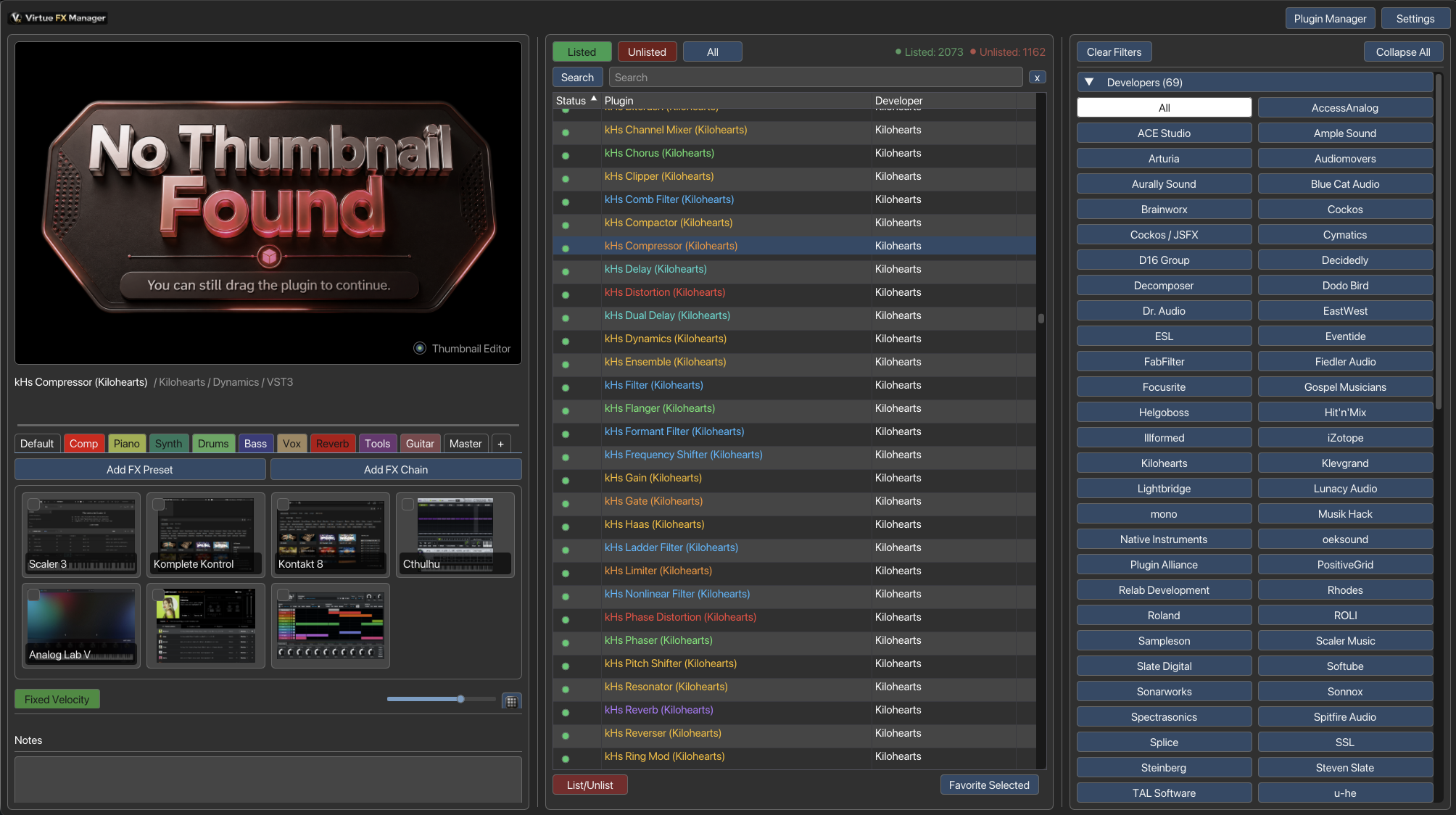
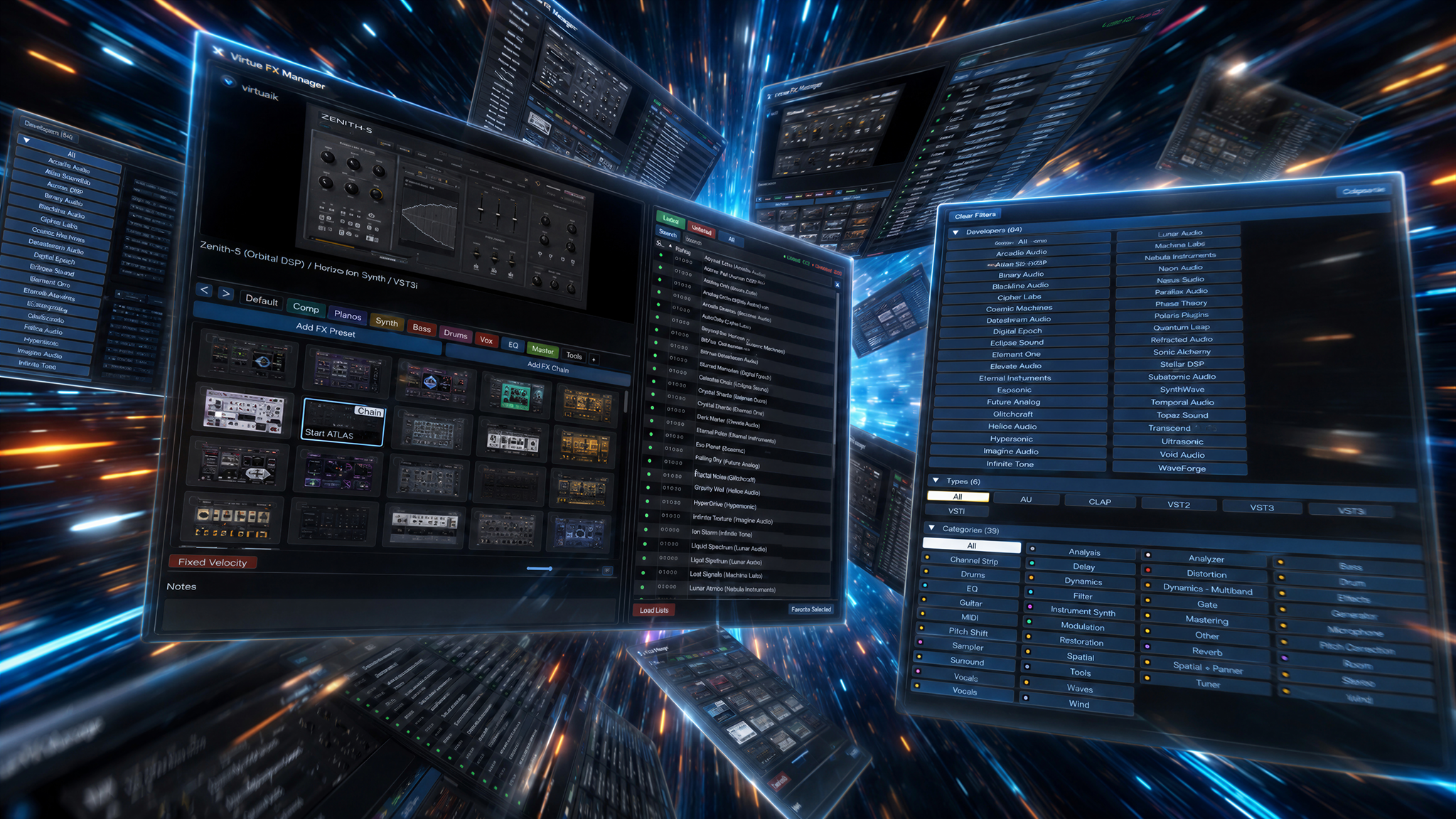
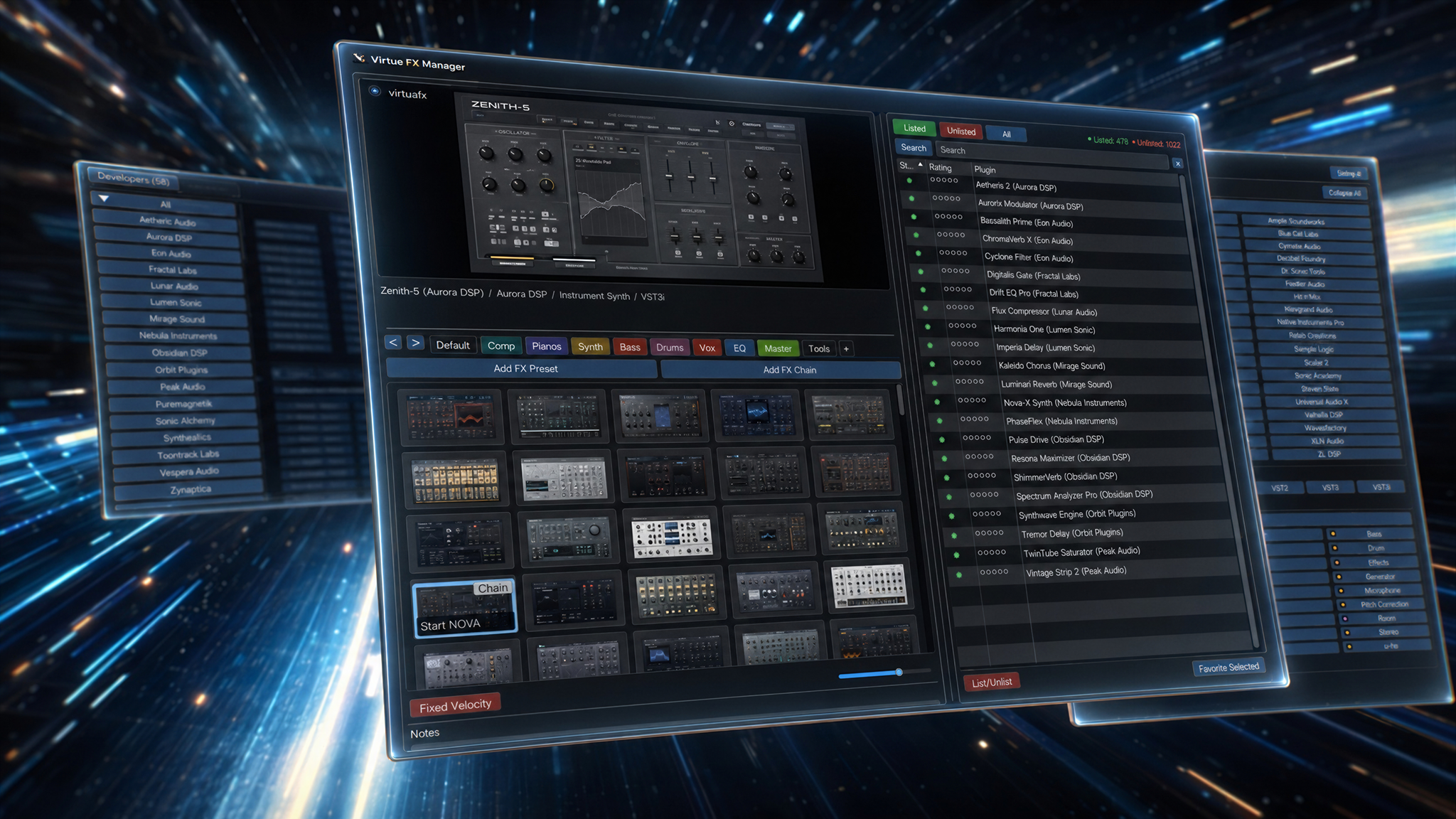
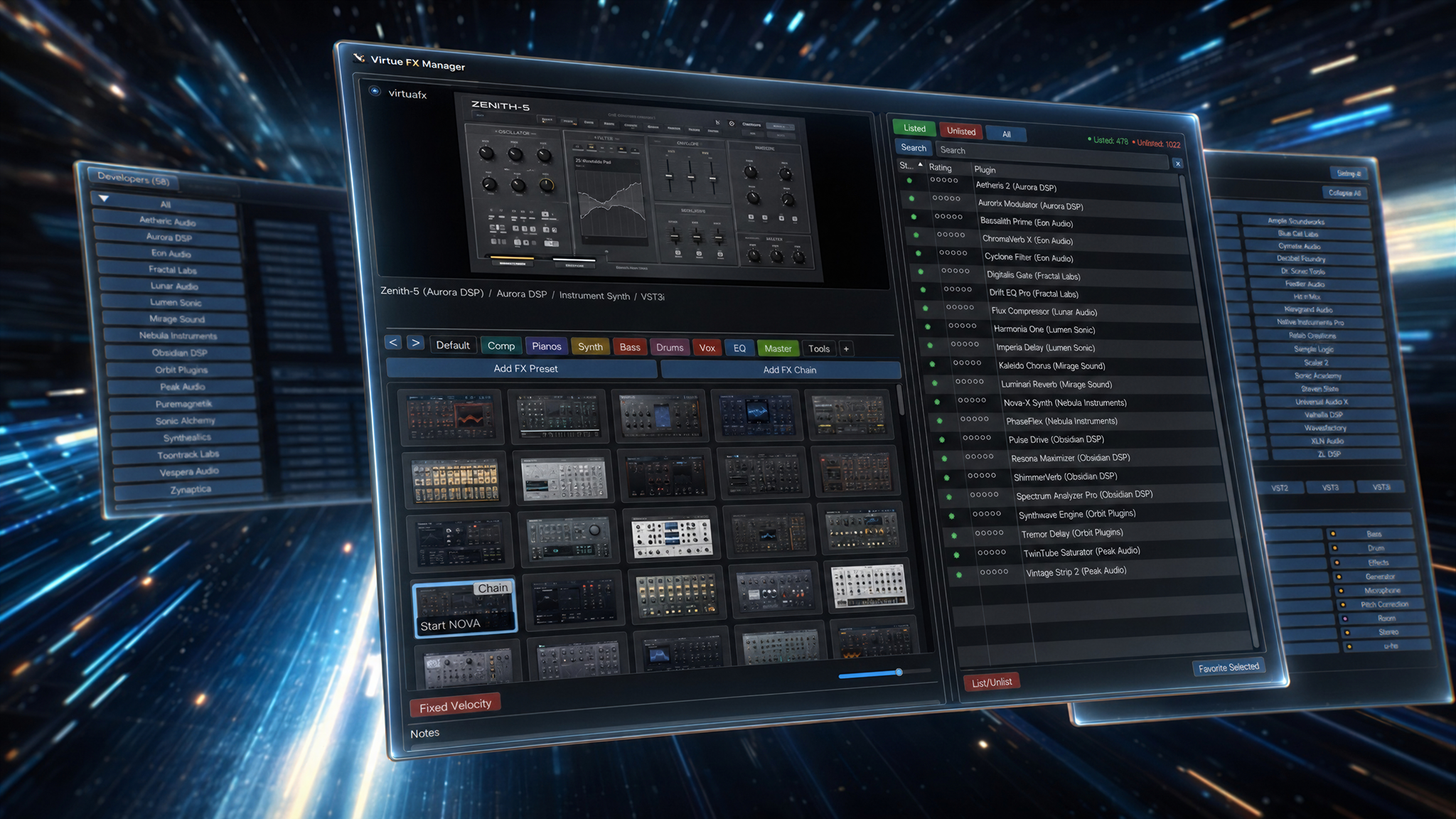
          <img src="../VFxM_Main.png" alt="Virtue FX Manager Main Browser Interface" style={{ maxWidth: '1100px', width: '100%', border: '1px solid var(--line)', borderRadius: '6px' }} />
          <figcaption style={{ fontSize: '0.85rem', color: 'var(--t-2)', textAlign: 'center', marginTop: '0.5rem' }}>
            Virtue FX Manager Main Browser Interface (Grid View)
          </figcaption>
        </figure>
        <figure style={{ display: 'flex', flexDirection: 'column', alignItems: 'center', margin: '2rem 0' }}>
          <img src="../VFxM_BigThumbnails.png" alt="Grid View with Big Thumbnails enabled" style={{ maxWidth: '1100px', width: '100%', border: '1px solid var(--line)', borderRadius: '6px' }} />
          <figcaption style={{ fontSize: '0.85rem', color: 'var(--t-2)', textAlign: 'center', marginTop: '0.5rem' }}>
            Grid View with Big Thumbnails enabled
          </figcaption>
        </figure>
        <figure style={{ display: 'flex', flexDirection: 'column', alignItems: 'center', margin: '2rem 0' }}>
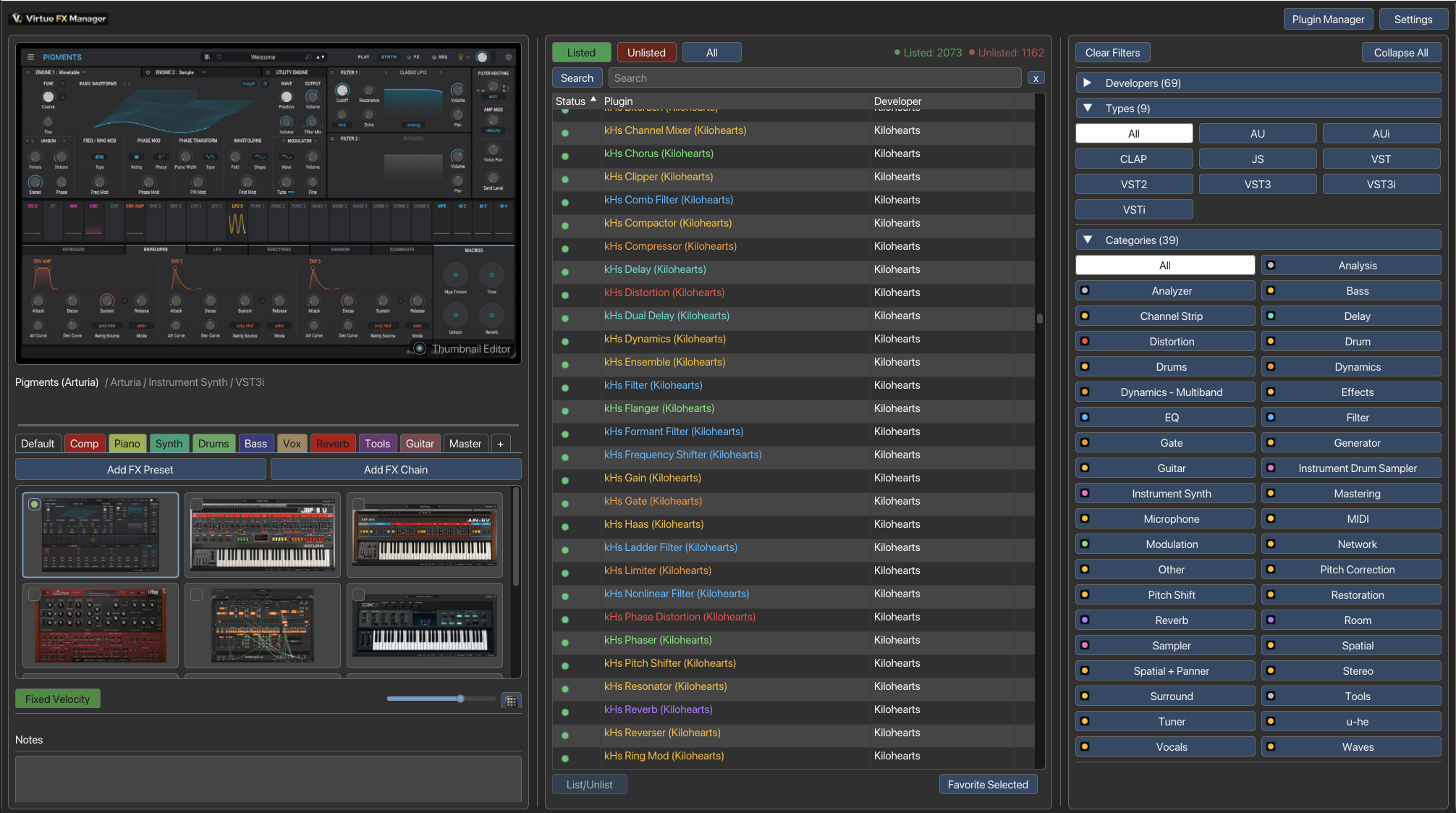
          <img src="../VFxM_001.png" alt="Main interface showing a plugin loading with Pigments visual" style={{ maxWidth: '1000px', width: '100%', border: '1px solid var(--line)', borderRadius: '6px' }} />
          <figcaption style={{ fontSize: '0.85rem', color: 'var(--t-2)', textAlign: 'center', marginTop: '0.5rem' }}>
            Main interface with visual search cards in the grid and details list view
          </figcaption>
        </figure>
        <figure style={{ display: 'flex', flexDirection: 'column', alignItems: 'center', margin: '2rem 0' }}>
          <img src="../VFxM_003.png" alt="Expanded Developer filter list" style={{ maxWidth: '1000px', width: '100%', border: '1px solid var(--line)', borderRadius: '6px' }} />
          <figcaption style={{ fontSize: '0.85rem', color: 'var(--t-2)', textAlign: 'center', marginTop: '0.5rem' }}>
            Filtering the plugin list dynamically using the autocomplete Developer dropdown filter
          </figcaption>
        </figure>
        <div style={{ marginTop: '2rem', padding: '1.5rem', borderRadius: '12px', border: '1px solid rgba(56, 189, 248, 0.2)', backgroundColor: 'var(--surface)', color: 'var(--t)' }}>
          <h4 style={{ margin: '0 0 1rem 0', color: 'var(--o)', fontSize: '1.1rem', display: 'flex', alignItems: 'center', gap: '0.5rem' }}>
            <svg width="20" height="20" viewBox="0 0 24 24" fill="none" stroke="currentColor" strokeWidth="2" strokeLinecap="round" strokeLinejoin="round"><circle cx="12" cy="12" r="10"></circle><line x1="12" y1="8" x2="12" y2="12"></line><line x1="12" y1="16" x2="12.01" y2="16"></line></svg>
            Important: First-Time Thumbnail Scanning
          </h4>
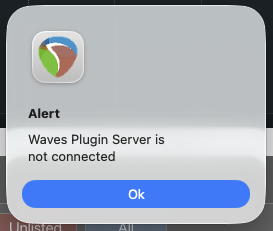
          <p style={{ marginBottom: '1rem', color: 'var(--t-2)' }}>When performing an automated batch scan to generate thumbnails, the scanner must sequentially load each plugin. Please be aware of the following:</p>
          <ul style={{ marginBottom: '1rem', paddingLeft: '1.5rem', color: 'var(--t-2)', display: 'grid', gap: '8px' }}>
            <li><strong>Server Connections:</strong> Some plugins (like those requiring license verification or iLok) might prompt for a server connection or display a pop-up dialog. The scan will pause until you manually click <strong>"OK"</strong> or <strong>"Allow"</strong> on these prompts.</li>
            <li><strong>Volume Warning:</strong> Because the plugins are fully loaded into the session, some virtual instruments might emit a default sound or sine wave upon initialization. <strong>Please turn down your speakers or headphones during the scan</strong> to protect your ears and equipment.</li>
          </ul>
          <figure style={{ marginTop: '1rem', marginBottom: 0, display: 'flex', flexDirection: 'column', alignItems: 'center' }}>
            <img src="../server_connection_alert.png" alt="Plugin asking for server connection during scan" style={{ maxWidth: '273px', width: '100%', border: '1px solid var(--line)', borderRadius: '6px' }} />
          </figure>
        </div>
      </>
    );
  }

  if (sectionId === 'track-insertion') {
    return (
      <figure style={{ display: 'flex', flexDirection: 'column', alignItems: 'center', margin: '2rem 0' }}>
        <img src="../VFxM_Speed_workflow_discover_hidden_plugins.png" alt="Fast session building via drag and drop track insertion" style={{ maxWidth: '1100px', width: '100%', border: '1px solid var(--line)', borderRadius: '6px' }} />
        <figcaption style={{ fontSize: '0.85rem', color: 'var(--t-2)', textAlign: 'center', marginTop: '0.5rem' }}>
          Fast session building via drag and drop track insertion
        </figcaption>
      </figure>
    );
  }

  if (sectionId === 'status-circles') {
    return (
      <figure style={{ display: 'flex', flexDirection: 'column', alignItems: 'center', margin: '2rem 0' }}>
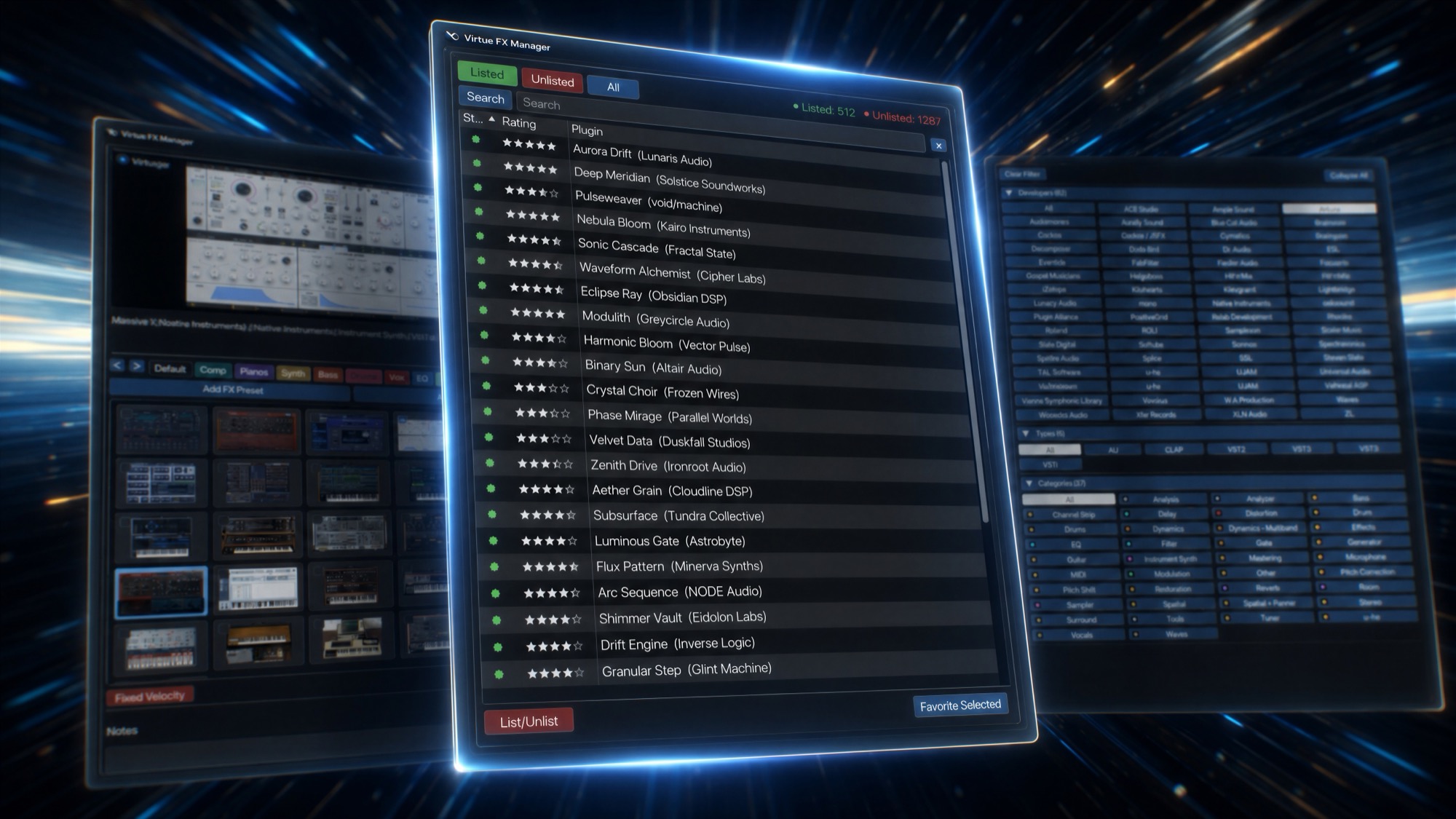
        <img src="../VFxM_List_Rating.jpg" alt="Status circles showing active (listed) and inactive (hidden) plugins" style={{ maxWidth: '1000px', width: '100%', border: '1px solid var(--line)', borderRadius: '6px' }} />
        <figcaption style={{ fontSize: '0.85rem', color: 'var(--t-2)', textAlign: 'center', marginTop: '0.5rem' }}>
          Status circles showing active (listed) and inactive (hidden) plugins
        </figcaption>
      </figure>
    );
  }

  if (sectionId === 'color-codes') {
    return (
      <figure style={{ display: 'flex', flexDirection: 'column', alignItems: 'center', margin: '2rem 0' }}>
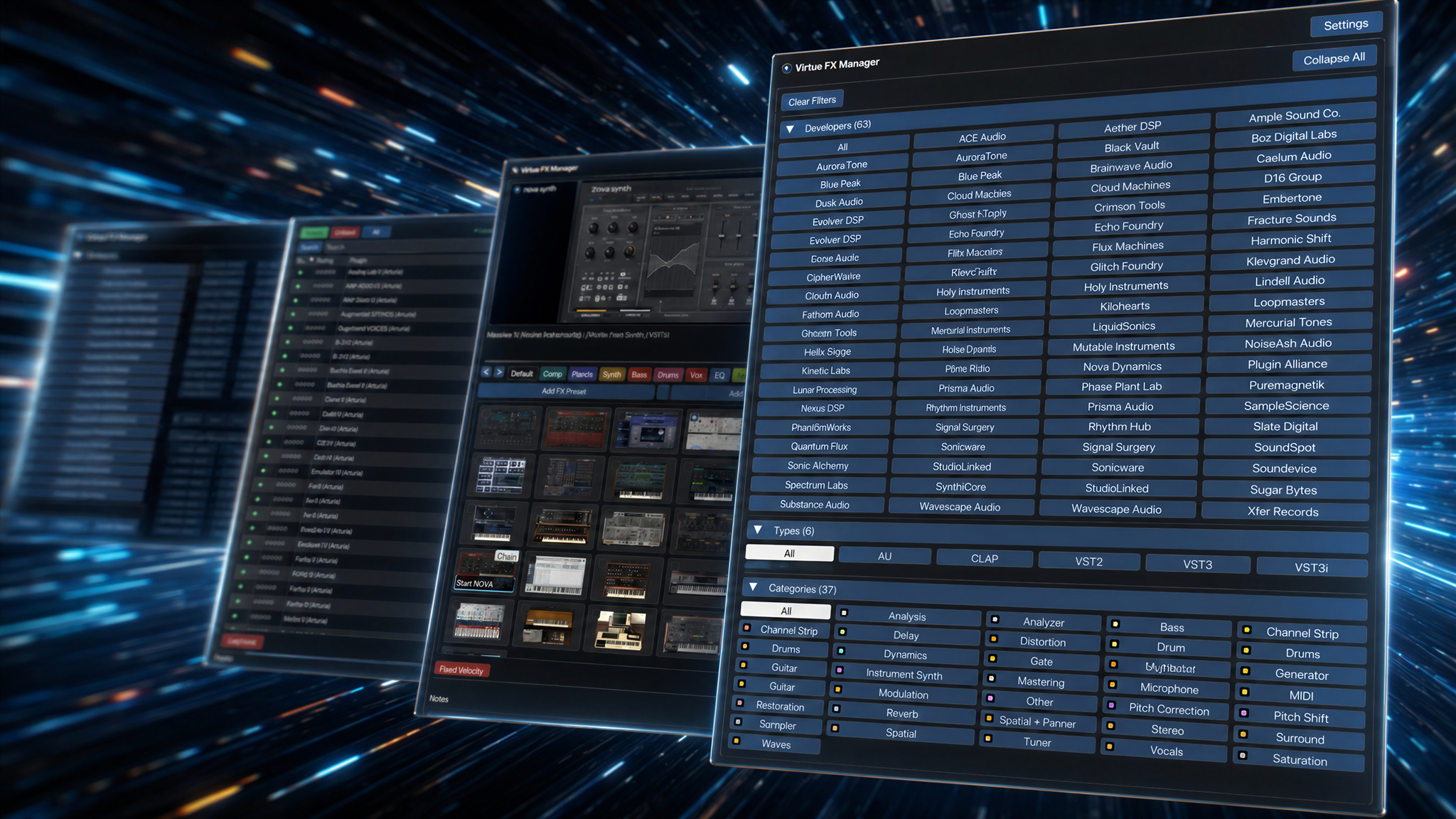
        <img src="../VFxM_Developer_Type_Cathegorie.png" alt="Plugin lists colored dynamically by category" style={{ maxWidth: '1100px', width: '100%', border: '1px solid var(--line)', borderRadius: '6px' }} />
        <figcaption style={{ fontSize: '0.85rem', color: 'var(--t-2)', textAlign: 'center', marginTop: '0.5rem' }}>
          Plugin lists colored dynamically by category
        </figcaption>
      </figure>
    );
  }

  if (sectionId === 'favorites-organization') {
    return (
      <>
        <figure style={{ display: 'flex', flexDirection: 'column', alignItems: 'center', margin: '2rem 0' }}>
          <img src="../VFxM_Favorites_Presets_FXChains.png" alt="Favorites tabs and FX presets" style={{ maxWidth: '1100px', width: '100%', border: '1px solid var(--line)', borderRadius: '6px' }} />
          <figcaption style={{ fontSize: '0.85rem', color: 'var(--t-2)', textAlign: 'center', marginTop: '0.5rem' }}>
            Favorites tabs and FX presets
          </figcaption>
        </figure>
        <figure style={{ display: 'flex', flexDirection: 'column', alignItems: 'center', margin: '2rem 0' }}>
          <img src="../VFxM_Favorites_Tab_organition.png" alt="Organizing tabs and editing settings inside Virtue FX Manager" style={{ maxWidth: '1100px', width: '100%', border: '1px solid var(--line)', borderRadius: '6px' }} />
          <figcaption style={{ fontSize: '0.85rem', color: 'var(--t-2)', textAlign: 'center', marginTop: '0.5rem' }}>
            Organizing tabs and editing settings inside Virtue FX Manager
          </figcaption>
        </figure>
      </>
    );
  }

  if (sectionId === 'scanner-stability') {
    return (
      <>
        <figure style={{ display: 'flex', flexDirection: 'column', alignItems: 'center', margin: '2rem 0' }}>
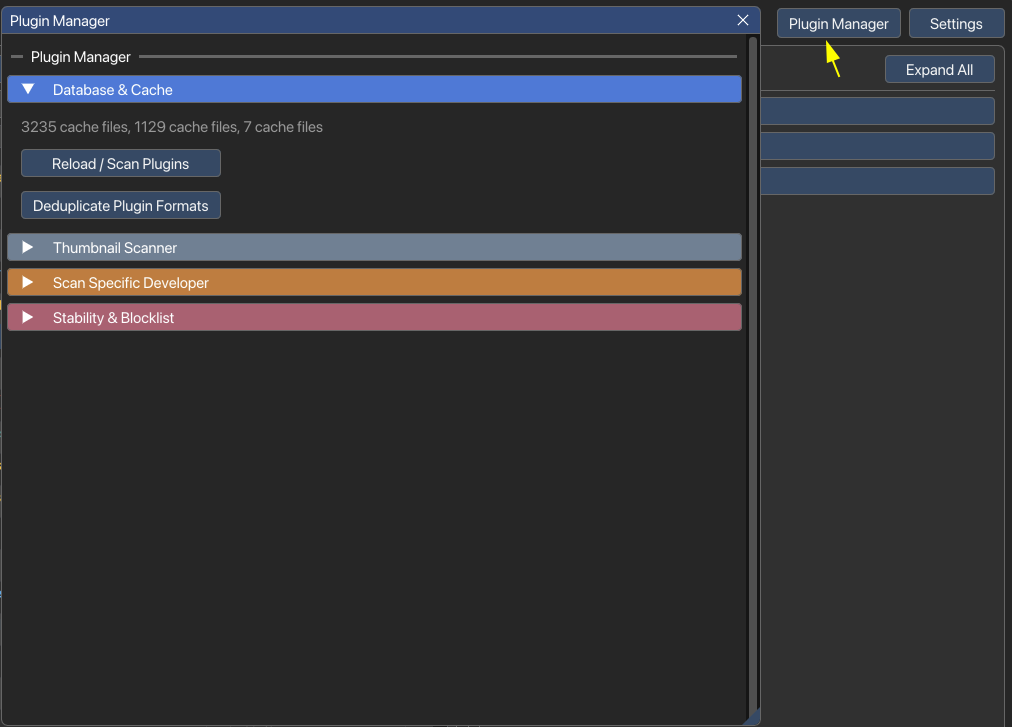
          <img src="../VFxM_004.png" alt="Plugin Manager - Main panel" style={{ maxWidth: '900px', width: '100%', border: '1px solid var(--line)', borderRadius: '6px' }} />
          <figcaption style={{ fontSize: '0.85rem', color: 'var(--t-2)', textAlign: 'center', marginTop: '0.5rem' }}>
            Plugin Manager - Re-scan, deduplicate, and stability settings
          </figcaption>
        </figure>
        <figure style={{ display: 'flex', flexDirection: 'column', alignItems: 'center', margin: '2rem 0' }}>
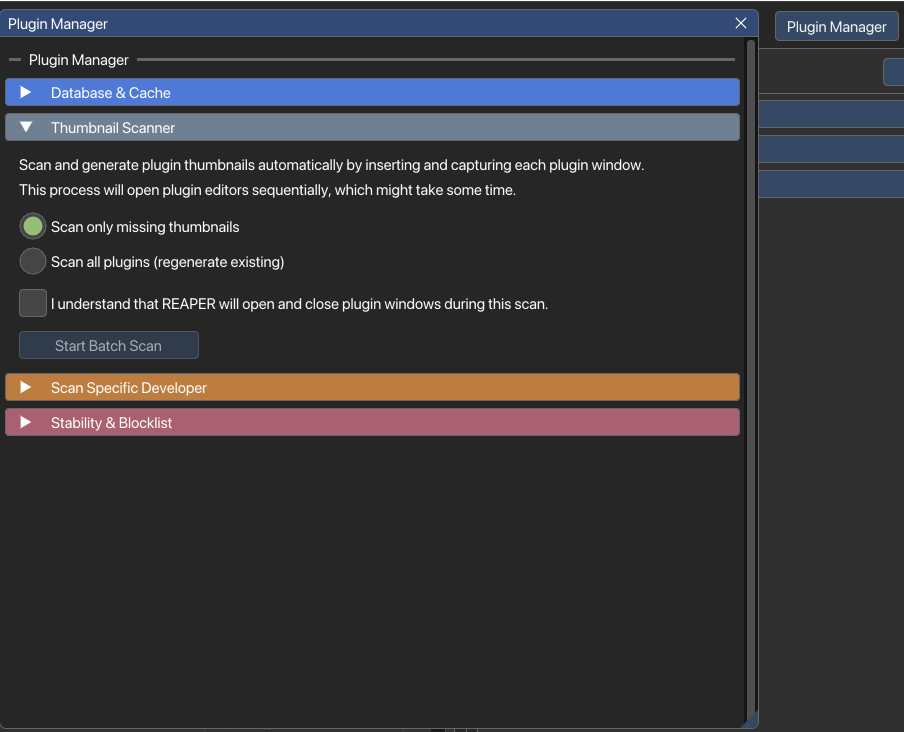
          <img src="../VFxM_005.png" alt="Thumbnail Scanner - Automated scan wizard" style={{ maxWidth: '900px', width: '100%', border: '1px solid var(--line)', borderRadius: '6px' }} />
          <figcaption style={{ fontSize: '0.85rem', color: 'var(--t-2)', textAlign: 'center', marginTop: '0.5rem' }}>
            Thumbnail Scanner - Batch scan missing thumbnails or regenerate all
          </figcaption>
        </figure>
        <figure style={{ display: 'flex', flexDirection: 'column', alignItems: 'center', margin: '2rem 0' }}>
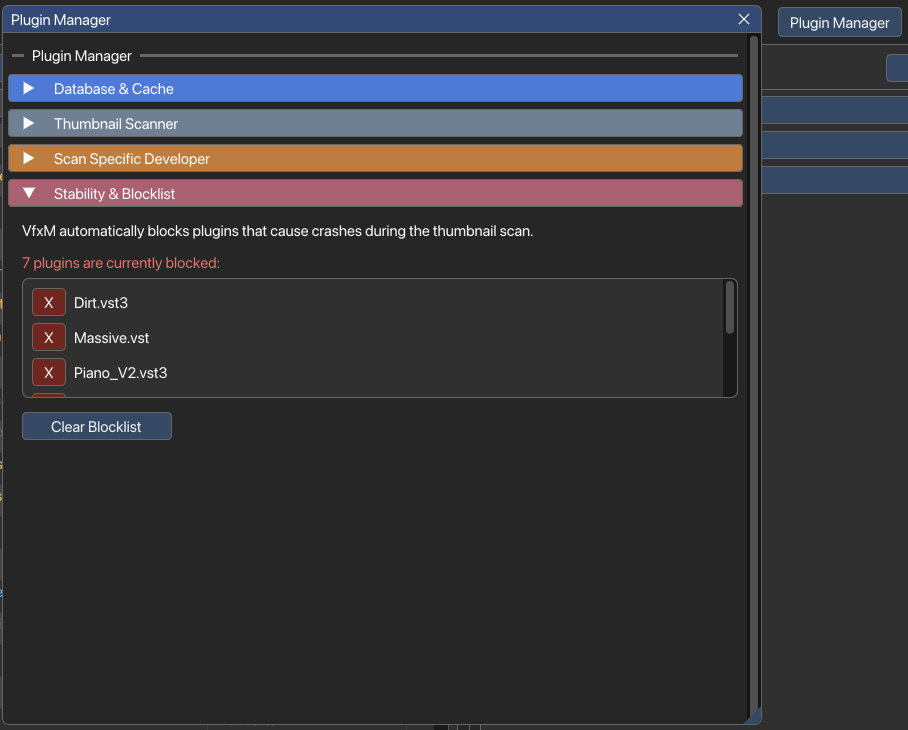
          <img src="../VFxM_007.png" alt="Stability & Blocklist manager" style={{ maxWidth: '900px', width: '100%', border: '1px solid var(--line)', borderRadius: '6px' }} />
          <figcaption style={{ fontSize: '0.85rem', color: 'var(--t-2)', textAlign: 'center', marginTop: '0.5rem' }}>
            Stability & Blocklist - View and clear blocked plugins that caused crashes during scans
          </figcaption>
        </figure>
      </>
    );
  }

  return null;
};

// Interactive category list preview
const ColorListDemo = () => {
  const [enabled, setEnabled] = useStateA(false);

  const plugins = [
    { name: 'FabFilter Pro-Q 3', dev: 'FabFilter', cat: 'EQ & Filters', color: '#33b8ff' },
    { name: 'Decapitator', dev: 'Soundtoys', cat: 'Distortion & Saturation', color: '#ff473d' },
    { name: 'Valhalla VintageVerb', dev: 'Valhalla DSP', cat: 'Reverb & Space', color: '#b27aff' },
    { name: 'Serum', dev: 'Xfer Records', cat: 'Instruments & Synths', color: '#ff6cbe' }
  ];

  return (
    <div style={{ marginTop: '2rem', padding: '1.5rem', backgroundColor: 'var(--surface)', border: '1px solid var(--line)', borderRadius: '10px' }}>
      <h4 style={{ margin: '0 0 1rem 0', fontSize: '1rem', color: 'var(--t)' }}>Interactive Demo: Color List by Category</h4>
      <div style={{ display: 'flex', alignItems: 'center', gap: '0.5rem', marginBottom: '1.5rem' }}>
        <input 
          type="checkbox" 
          id="demo-color-checkbox" 
          checked={enabled}
          onChange={(e) => setEnabled(e.target.checked)}
          style={{ cursor: 'pointer', accentColor: 'var(--o)' }} 
        />
        <label htmlFor="demo-color-checkbox" style={{ fontSize: '0.9rem', color: 'var(--t-2)', cursor: 'pointer', userSelect: 'none' }}>
          <strong>Enable "Color list by category" settings option</strong>
        </label>
      </div>
      
      <div style={{ backgroundColor: 'var(--bg-2)', borderRadius: '6px', overflow: 'hidden', border: '1px solid var(--line)' }}>
        <div style={{ display: 'flex', padding: '0.6rem 0.8rem', borderBottom: '1px solid var(--line)', fontSize: '0.8rem', color: 'var(--t-3)', fontWeight: 'bold', background: 'rgba(255,255,255,0.02)' }}>
          <div style={{ width: '40%' }}>Plugin Name</div>
          <div style={{ width: '30%' }}>Developer</div>
          <div style={{ width: '30%' }}>Category</div>
        </div>
        
        {plugins.map((p, i) => (
          <div key={i} style={{ display: 'flex', padding: '0.6rem 0.8rem', borderBottom: i < plugins.length - 1 ? '1px solid var(--line)' : 'none', fontSize: '0.85rem', transition: 'color 0.2s' }}>
            <div style={{ width: '40%', fontWeight: '600', color: enabled ? p.color : 'var(--t)' }}>{p.name}</div>
            <div style={{ width: '30%', color: 'var(--t-2)' }}>{p.dev}</div>
            <div style={{ width: '30%', color: 'var(--t-2)', display: 'flex', alignItems: 'center', gap: '0.4rem' }}>
              <span style={{ display: 'inline-block', width: '8px', height: '8px', borderRadius: '50%', backgroundColor: p.color }}></span>
              <span>{p.cat}</span>
            </div>
          </div>
        ))}
      </div>
    </div>
  );
};

const Docs = () => {
  useLenis();
  useMouseGlow();

  const activeLang = (window.VirtueI18n && window.VirtueI18n.getLanguage) ? window.VirtueI18n.getLanguage() : 'en';
  const data = docData[activeLang] || docData.en;
  const [activeSection, setActiveSection] = useStateA(data.sections[0]?.id || '');
  const [searchQuery, setSearchQuery] = useStateA('');

  // Synchronize active section with URL hash
  useEffectA(() => {
    const handleHashChange = () => {
      const hash = window.location.hash.substring(1);
      if (hash) {
        // Confirm hash matches a valid section
        const match = data.sections.find(sec => sec.id === hash);
        if (match) {
          setActiveSection(hash);
        }
      }
    };

    handleHashChange();
    window.addEventListener('hashchange', handleHashChange);
    return () => window.removeEventListener('hashchange', handleHashChange);
  }, [data]);

  // OS Tab switching delegation for dangerouslySetInnerHTML content
  useEffectA(() => {
    const container = document.getElementById('docs-sections-container');
    if (!container) return;

    const handleClick = (e) => {
      const tabBtn = e.target.closest('.os-tab-btn');
      if (!tabBtn) return;

      const tabContainer = tabBtn.closest('.os-tab-container');
      if (!tabContainer) return;

      const os = tabBtn.dataset.os;
      if (!os) return;

      // Deactivate all buttons and content in this container
      tabContainer.querySelectorAll('.os-tab-btn').forEach(btn => btn.classList.remove('active'));
      tabContainer.querySelectorAll('.os-tab-content').forEach(content => content.classList.remove('active'));

      // Activate current button and content
      tabBtn.classList.add('active');
      const targetContent = tabContainer.querySelector(`.os-tab-content[data-os="${os}"]`);
      if (targetContent) targetContent.classList.add('active');
    };

    container.addEventListener('click', handleClick);
    return () => container.removeEventListener('click', handleClick);
  }, [activeSection]);

  // Hydrate ColorListDemo placeholders in dangerouslySetInnerHTML content
  useEffectA(() => {
    const placeholders = document.querySelectorAll('.color-list-demo-placeholder');
    placeholders.forEach(placeholder => {
      if (placeholder.dataset.hydrated) return;
      placeholder.dataset.hydrated = 'true';

      placeholder.innerHTML = `
        <div style="margin-top: 2rem; padding: 1.5rem; background-color: var(--surface); border: 1px solid var(--line); border-radius: 10px;">
          <h4 style="margin: 0 0 1rem 0; font-size: 1rem; color: var(--t);">Interactive Demo: Color List by Category</h4>
          <div style="display: flex; align-items: center; gap: 0.5rem; margin-bottom: 1.5rem;">
            <input type="checkbox" id="demo-color-checkbox-inline" style="cursor: pointer; accent-color: var(--o);" />
            <label for="demo-color-checkbox-inline" style="font-size: 0.9rem; color: var(--t-2); cursor: pointer; user-select: none;">
              <strong>Enable "Color list by category" settings option</strong>
            </label>
          </div>
          <div style="background-color: var(--bg-2); border-radius: 6px; overflow: hidden; border: 1px solid var(--line);">
            <div style="display: flex; padding: 0.6rem 0.8rem; border-bottom: 1px solid var(--line); font-size: 0.8rem; color: var(--t-3); font-weight: bold; background: rgba(255,255,255,0.02);">
              <div style="width: 40%;">Plugin Name</div>
              <div style="width: 30%;">Developer</div>
              <div style="width: 30%;">Category</div>
            </div>
            <div class="demo-plugin-row" data-color="#33b8ff" style="display: flex; padding: 0.6rem 0.8rem; border-bottom: 1px solid var(--line); font-size: 0.85rem; transition: color 0.2s;">
              <div class="plugin-name" style="width: 40%; font-weight: 600;">FabFilter Pro-Q 3</div>
              <div style="width: 30%; color: var(--t-2);">FabFilter</div>
              <div style="width: 30%; color: var(--t-2); display: flex; align-items: center; gap: 0.4rem;">
                <span style="display: inline-block; width: 8px; height: 8px; border-radius: 50%; background-color: #33b8ff;"></span>
                <span>EQ & Filters</span>
              </div>
            </div>
            <div class="demo-plugin-row" data-color="#ff473d" style="display: flex; padding: 0.6rem 0.8rem; border-bottom: 1px solid var(--line); font-size: 0.85rem; transition: color 0.2s;">
              <div class="plugin-name" style="width: 40%; font-weight: 600;">Decapitator</div>
              <div style="width: 30%; color: var(--t-2);">Soundtoys</div>
              <div style="width: 30%; color: var(--t-2); display: flex; align-items: center; gap: 0.4rem;">
                <span style="display: inline-block; width: 8px; height: 8px; border-radius: 50%; background-color: #ff473d;"></span>
                <span>Distortion & Saturation</span>
              </div>
            </div>
            <div class="demo-plugin-row" data-color="#b27aff" style="display: flex; padding: 0.6rem 0.8rem; border-bottom: 1px solid var(--line); font-size: 0.85rem; transition: color 0.2s;">
              <div class="plugin-name" style="width: 40%; font-weight: 600;">Valhalla VintageVerb</div>
              <div style="width: 30%; color: var(--t-2);">Valhalla DSP</div>
              <div style="width: 30%; color: var(--t-2); display: flex; align-items: center; gap: 0.4rem;">
                <span style="display: inline-block; width: 8px; height: 8px; border-radius: 50%; background-color: #b27aff;"></span>
                <span>Reverb & Space</span>
              </div>
            </div>
            <div class="demo-plugin-row" data-color="#ff6cbe" style="display: flex; padding: 0.6rem 0.8rem; font-size: 0.85rem; transition: color 0.2s;">
              <div class="plugin-name" style="width: 40%; font-weight: 600;">Serum</div>
              <div style="width: 30%; color: var(--t-2);">Xfer Records</div>
              <div style="width: 30%; color: var(--t-2); display: flex; align-items: center; gap: 0.4rem;">
                <span style="display: inline-block; width: 8px; height: 8px; border-radius: 50%; background-color: #ff6cbe;"></span>
                <span>Instruments & Synths</span>
              </div>
            </div>
          </div>
        </div>
      `;

      const checkbox = placeholder.querySelector('#demo-color-checkbox-inline');
      if (checkbox) {
        checkbox.addEventListener('change', () => {
          const isChecked = checkbox.checked;
          placeholder.querySelectorAll('.demo-plugin-row').forEach(row => {
            const color = row.dataset.color;
            const nameDiv = row.querySelector('.plugin-name');
            if (nameDiv) nameDiv.style.color = isChecked ? color : 'var(--t)';
          });
        });
      }
    });
  }, [activeSection]);

  // Strip HTML utility for snippets
  const getSnippet = (htmlContent, query) => {
    const cleanText = htmlContent.replace(/<[^>]*>/g, ' ');
    const qIdx = cleanText.toLowerCase().indexOf(query.toLowerCase());
    if (qIdx !== -1) {
      const start = Math.max(0, qIdx - 60);
      const end = Math.min(cleanText.length, qIdx + query.length + 100);
      return (start > 0 ? '...' : '') + cleanText.substring(start, end) + (end < cleanText.length ? '...' : '');
    }
    return cleanText.substring(0, 160) + (cleanText.length > 160 ? '...' : '');
  };

  // Text highlighting utility
  const highlightText = (text, query) => {
    if (!query) return text;
    const parts = text.split(new RegExp(`(${query.replace(/[-\/\\^$*+?.()|[\]{}]/g, '\\$&')})`, 'gi'));
    return parts.map((part, i) => 
      part.toLowerCase() === query.toLowerCase() 
        ? <span key={i} className="docs-search-match-highlight">{part}</span> 
        : part
    );
  };

  // Filter sections matching search criteria
  const matchingSections = searchQuery.trim() 
    ? data.sections.filter(sec => 
        sec.title.toLowerCase().includes(searchQuery.toLowerCase()) || 
        sec.content.toLowerCase().includes(searchQuery.toLowerCase())
      )
    : [];

  return (
    <>
      <TopHeader />
      <LeftSidebar />

      <main id="main" style={{ paddingLeft: '24px' /* offset extra padding to balance LeftSidebar */ }}>
        <section className="section-shell" style={{ paddingTop: '3rem', paddingBottom: '0' }}>
          <p className="eyebrow">{data.breadcrumbsHome}</p>
          <h1>{data.title}</h1>
          <p className="subtitle" style={{ fontSize: '18px', color: 'var(--t-2)', marginTop: '8px' }}>
            {data.subtitle}
          </p>
        </section>

        <section className="section-shell" style={{ paddingTop: '0', marginTop: '2rem' }}>
          <div className="docs-container">
            {/* Docs Table of Contents Sidebar */}
            <aside className="docs-sidebar">
              <div className="docs-search-wrapper">
                <input
                  type="search"
                  className="docs-search-input"
                  placeholder={data.searchPlaceholder}
                  value={searchQuery}
                  onChange={(e) => setSearchQuery(e.target.value)}
                  aria-label="Search help"
                />
              </div>
              <div className="docs-nav-group">
                <div className="docs-nav-title">{data.tableOfContents}</div>
                <nav className="docs-nav-list" aria-labelledby="toc-title">
                  {data.sections.map((sec) => (
                    <button
                      key={sec.id}
                      onClick={() => {
                        setActiveSection(sec.id);
                        setSearchQuery('');
                        window.location.hash = sec.id;
                      }}
                      className={`docs-nav-link ${activeSection === sec.id && !searchQuery ? 'is-active' : ''}`}
                    >
                      {sec.title}
                    </button>
                  ))}
                </nav>
              </div>
            </aside>

            {/* Docs Main Content Column */}
            <article className="docs-content">
              {/* Main Tabbed Sections */}
              <div id="docs-sections-container" style={{ display: searchQuery ? 'none' : 'block' }}>
                {data.sections.map(sec => (
                  <section 
                    key={sec.id} 
                    id={`section-${sec.id}`}
                    className={`docs-section ${activeSection === sec.id ? 'is-active' : ''}`}
                  >
                    <h2>{sec.title}</h2>
                    <div dangerouslySetInnerHTML={{ __html: sec.content }} />
                    {sec.id === 'color-codes' && <ColorListDemo />}
                    <SectionMedia sectionId={sec.id} />
                  </section>
                ))}
              </div>

              {/* Search Results Panel */}
              {searchQuery.trim() !== '' && (
                <div className="docs-search-results is-active">
                  {matchingSections.length > 0 ? (
                    matchingSections.map(sec => (
                      <article key={sec.id} className="docs-search-item">
                        <h3>
                          <a onClick={() => { 
                            setActiveSection(sec.id); 
                            setSearchQuery(''); 
                            window.location.hash = sec.id; 
                          }}>
                            {highlightText(sec.title, searchQuery)}
                          </a>
                        </h3>
                        <p>{highlightText(getSnippet(sec.content, searchQuery), searchQuery)}</p>
                      </article>
                    ))
                  ) : (
                    <div style={{ textAlignment: 'center', padding: '3rem 0', color: 'var(--t-3)', textAlign: 'center' }}>
                      <p style={{ fontSize: '1.25rem', fontWeight: '500', color: 'var(--t-2)' }}>No results found for "{searchQuery}"</p>
                      <p style={{ marginTop: '0.5rem', fontSize: '0.9rem' }}>Try searching for other terms like 'install', 'favorite', or 'shortcut'.</p>
                    </div>
                  )}
                </div>
              )}
            </article>
          </div>
        </section>
      </main>
    </>
  );
};

const root = ReactDOM.createRoot(document.getElementById('root'));
root.render(<Docs />);