/* global React, BrushIcon, RadialMenuSVG */
const { useState: useStateF, useEffect: useEffectF, useRef: useRefF } = React;

const Features = () => {
  return (
    <section className="features-wrap" id="features" data-screen-label="04 Features">
      <div className="section-head">
        <div>
          <div className="lead">Product Features</div>
          <h2>Creative Speed, <span className="it">without clutter.</span></h2>
        </div>
        <div className="desc">
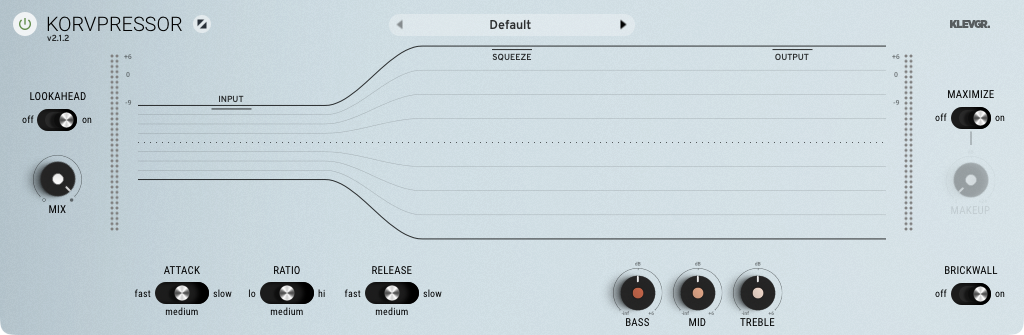
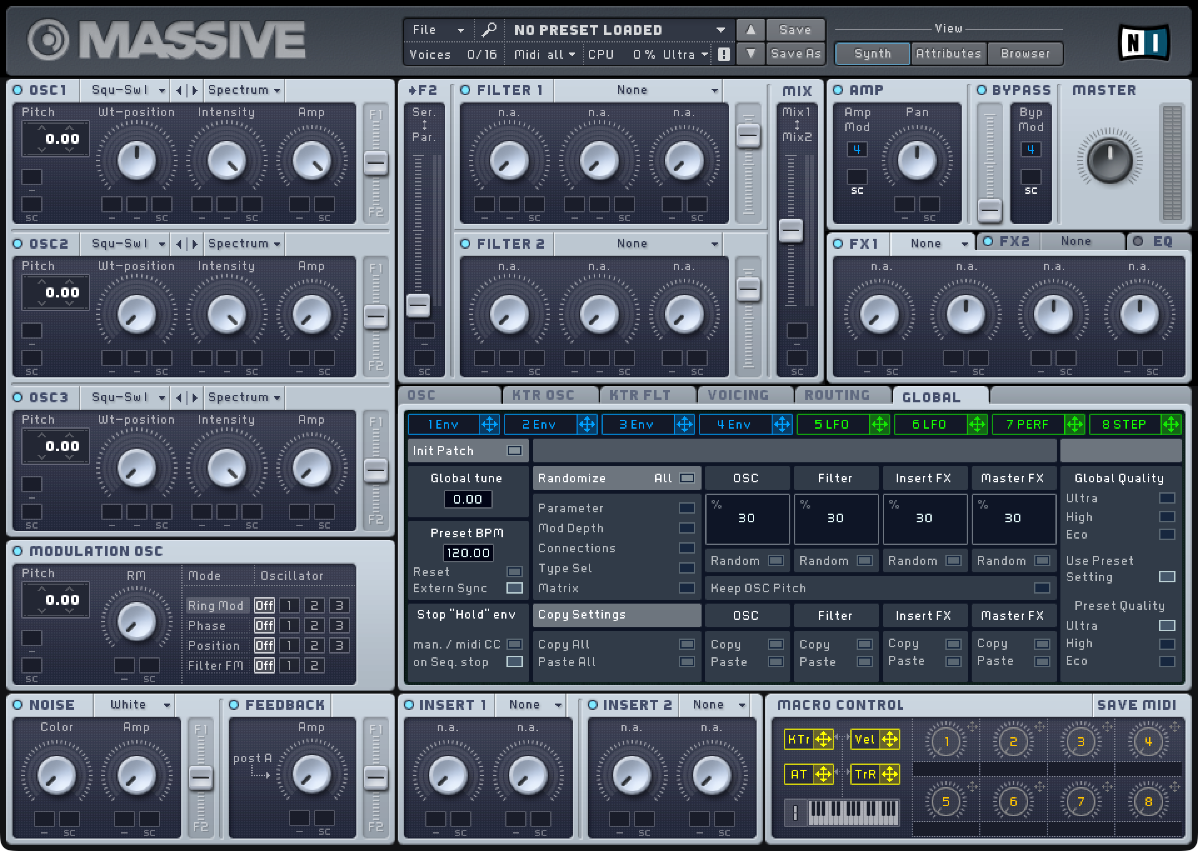
          VFxM is built to remove lists and menus, keeping your focus on the sound. Filter thousands of plugins in milliseconds, save favorites, write persistent notes, and load tracks instantly.
        </div>
      </div>

      <div className="features-grid">
        {/* Bento Card 1: Visual recognition */}
        <div className="feat-card span-3">
          <span className="feat-num">01 — VISUAL BROWSER</span>
          <div className="feat-split">
            <div className="feat-split-text">
              <h3>Browse by Thumbnail, Not Lists</h3>
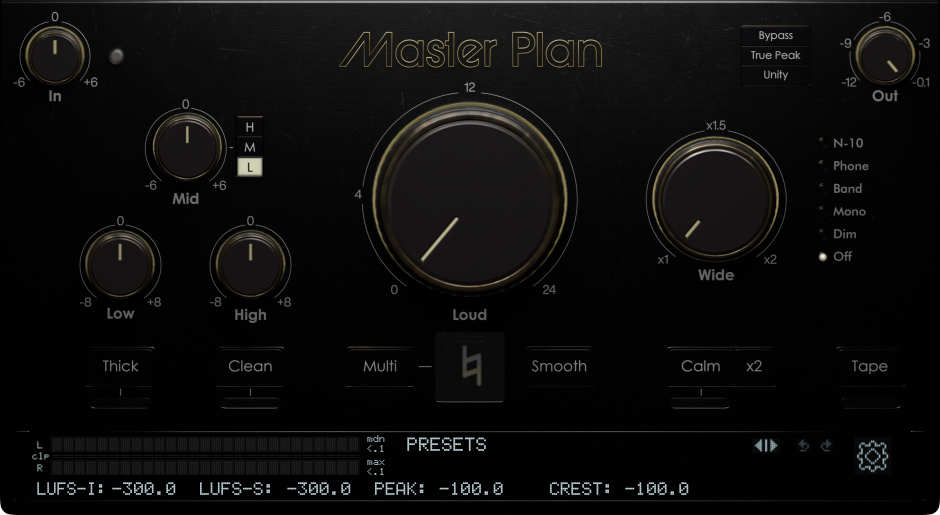
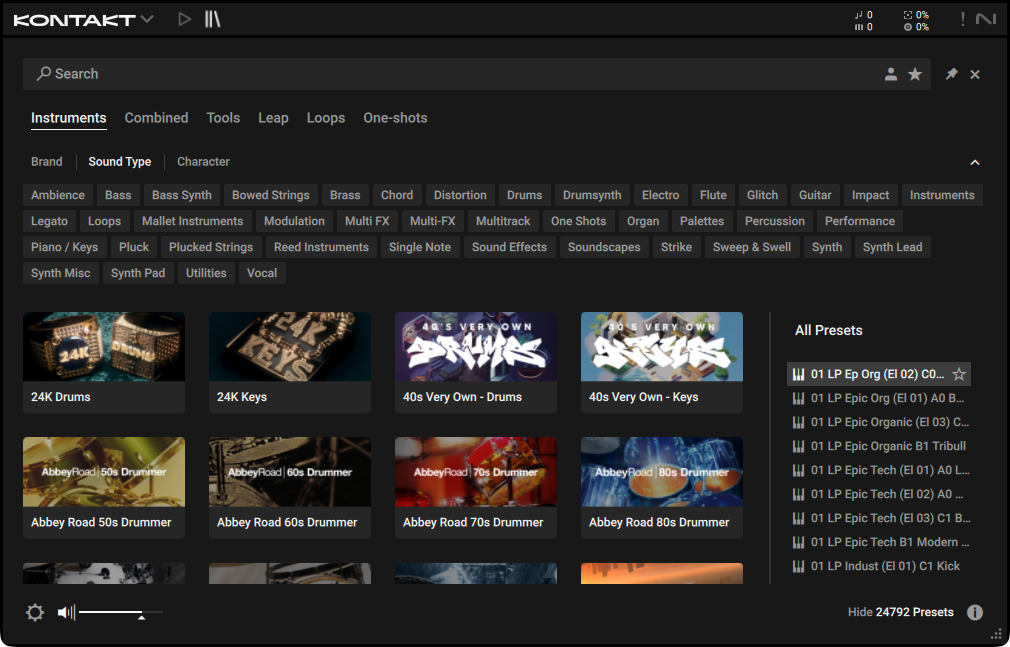
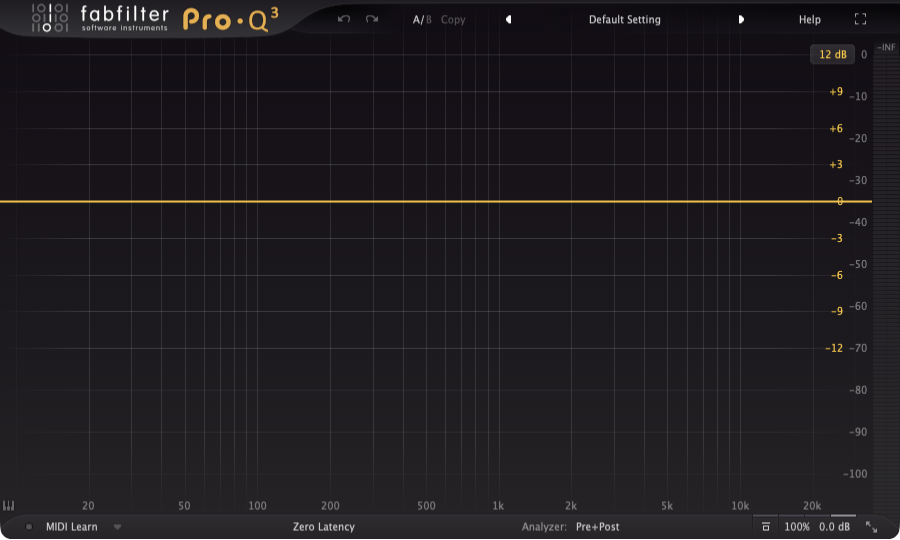
              <p>Reclaim your visual memory. Identify compressors, EQs, and instruments by their actual GUI layouts. Snaps screenshot thumbnails automatically.</p>
            </div>
            <div className="feat-split-visual" style={{ position: 'relative', width: '100%', height: 220, display: 'grid', placeItems: 'center', overflow: 'visible' }}>
              <ThumbnailBrowserVisual />
            </div>
          </div>
        </div>

        {/* Bento Card 2: Custom Favorites Board */}
        <div className="feat-card span-3 dark">
          <span className="feat-num">02 — CUSTOM BOARDS</span>
          <div className="feat-split">
            <div className="feat-split-text">
              <h3>Custom Favorites & FX Chains</h3>
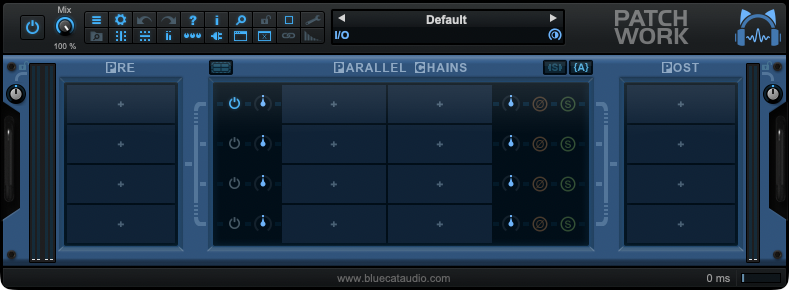
              <p>Create dedicated workspace boards for vocals, drums, master bus, or synths. Drag plugins from your library straight into your boards.</p>
            </div>
            <div className="feat-split-visual" style={{ position: 'relative', width: '100%', height: 220, display: 'grid', placeItems: 'center', overflow: 'visible' }}>
              <FavoritesBoardVisual />
            </div>
          </div>
        </div>

        {/* Bento Card 3: Signal Chains */}
        <div className="feat-card span-2">
          <span className="feat-num">03 — FX CHAINS</span>
          <h3>Insert full signal chains.</h3>
          <p>Group plugins together (e.g., Gate → EQ → Comp). Double click to instantiate the entire signal chain into REAPER sequentially in one action.</p>
          <div className="feat-visual">
            <ChainVisual />
          </div>
        </div>

        {/* Bento Card 4: REAPER Bridge integration */}
        <div className="feat-card span-4 dark hero-card">
          <span className="feat-num">04 — DAW INTEGRATION</span>
          <div className="bridge-layout">
            <div className="bridge-text">
              <h3>DAW Bridge communication.</h3>
              <p>VFxM talks to REAPER directly. Double-click to load onto active tracks, or drag card thumbnails into REAPER's arranger to auto-create track pathways.</p>
            </div>
            <div className="bridge-visual" style={{ position: 'relative', width: '100%', height: 240, overflow: 'visible', display: 'flex', alignItems: 'center', justifyContent: 'center' }}>
              <DAWIntegrationVisual />
            </div>
          </div>
        </div>

        {/* Bento Card 5: Search & Filter (Wide) */}
        <div className="feat-card span-6">
          <span className="feat-num">05 — SEARCH & FILTER</span>
          <div className="library-layout">
            <div className="library-text">
              <h3>Slice through large libraries.</h3>
              <p>Filter by developer brand name, plugin format (VST, VST3, AU, CLAP, JSFX), or search by category keywords in milliseconds.</p>
            </div>
            <div className="library-visual" style={{ position: 'relative', width: '100%', height: 240, overflow: 'visible', display: 'flex', alignItems: 'center', justifyContent: 'center' }}>
              <SearchFilterVisual />
            </div>
          </div>
        </div>


      </div>
    </section>
  );
};


// === Visual Animations ===

// Custom Slots Drag & Drop Animation
const EDITOR_SEQUENCE = [
  { lib: 0, slot: 0 },
  { lib: 1, slot: 2 },
  { lib: 2, slot: 5 },
  { lib: 3, slot: 3 },
  { lib: 4, slot: 6 },
  { lib: 5, slot: 1 }
];

const EDITOR_LIB = [0, 1, 2, 3, 5, 6, 7, 11, 14, 19];

const EditorVisual = () => {
  const [step, setStep] = useStateF(0);
  const [t, setT] = useStateF(0);
  const fillsRef = useRefF({});
  const [, force] = useStateF(0);

  useEffectF(() => {
    const DUR = 2200;
    let raf;
    const start = performance.now();
    const tick = (now) => {
      const elapsed = now - start;
      const len = EDITOR_SEQUENCE.length || 1;
      const totalSteps = Math.floor(elapsed / DUR);
      const stepIdx = totalSteps % len;
      const local = elapsed % DUR / DUR;
      
      if (totalSteps > 0 && stepIdx === 0 && local < 0.05 && Object.keys(fillsRef.current).length > 0) {
        fillsRef.current = {};
        force((n) => n + 1);
      }
      setStep(stepIdx);
      setT(local);
      
      const cur = EDITOR_SEQUENCE[stepIdx];
      if (cur && local > 0.62 && fillsRef.current[cur.slot] === undefined) {
        fillsRef.current[cur.slot] = EDITOR_LIB[cur.lib];
        force((n) => n + 1);
      }
      raf = requestAnimationFrame(tick);
    };
    raf = requestAnimationFrame(tick);
    return () => cancelAnimationFrame(raf);
  }, []);

  const cur = EDITOR_SEQUENCE[step] || EDITOR_SEQUENCE[0];
  const LIB_COUNT = 6;
  const LIB_GAP = 30;
  const LIB_W = (LIB_COUNT - 1) * LIB_GAP;
  const libX = (i) => -LIB_W / 2 + i * LIB_GAP;
  const LIB_Y = -78;

  const slots = Array.from({ length: 8 }, (_, i) => {
    const a = i / 8 * Math.PI * 2 - Math.PI / 2;
    return { x: Math.cos(a) * 56, y: Math.sin(a) * 56 + 18 };
  });

  const src = { x: libX(cur.lib), y: LIB_Y };
  const dst = slots[cur.slot];

  const easeInOut = (x) => x < 0.5 ? 4 * x * x * x : 1 - Math.pow(-2 * x + 2, 3) / 2;

  let gx = src.x, gy = src.y, gOp = 1, gScale = 1;
  if (t < 0.55) {
    const p = easeInOut(t / 0.55);
    gx = src.x + (dst.x - src.x) * p;
    gy = src.y + (dst.y - src.y) * p;
    gScale = 1 + 0.05 * Math.sin(p * Math.PI);
  } else if (t < 0.72) {
    const p = (t - 0.55) / 0.17;
    gx = dst.x; gy = dst.y;
    gScale = 1 + 0.15 * Math.sin(p * Math.PI);
    gOp = 1 - p * 0.65;
  } else if (t < 0.92) {
    gx = dst.x; gy = dst.y;
    gOp = 0;
  } else {
    const next = EDITOR_SEQUENCE[(step + 1) % EDITOR_SEQUENCE.length] || EDITOR_SEQUENCE[0];
    gx = libX(next.lib); gy = LIB_Y;
    gOp = 0;
  }

  const libItemDim = (i) => i === cur.lib && t < 0.7 ? 0.3 : 0.85;
  const slotIsTarget = (i) => i === cur.slot && t < 0.62 && fillsRef.current[i] === undefined;
  const slotJustLanded = (i) => i === cur.slot && t >= 0.55 && t < 0.78;

  return (
    <div style={{ position: 'relative', width: '100%', height: 250, display: 'grid', placeItems: 'center' }}>
      {/* Library Row */}
      <div style={{
        position: 'absolute', left: '50%', top: '50%',
        transform: `translate(-50%, calc(-50% + ${LIB_Y}px))`,
        display: 'flex', flexDirection: 'column', alignItems: 'center', gap: 6,
        padding: '7px 10px',
        borderRadius: 10,
        background: 'rgba(255,255,255,0.03)',
        border: '1px solid rgba(255,255,255,0.08)'
      }}>
        <div style={{ display: 'flex', gap: LIB_GAP - 26, alignItems: 'center' }}>
          {EDITOR_LIB.slice(0, LIB_COUNT).map((v, i) =>
            <div key={i} style={{ width: 26, height: 26, opacity: libItemDim(i), transition: 'opacity .2s' }}>
              <BrushIcon variant={v} size={26} />
            </div>
          )}
        </div>
        <div style={{ fontFamily: 'JetBrains Mono', fontSize: 7, color: 'rgba(255,255,255,0.4)', letterSpacing: '0.18em' }}>PLUGINS</div>
      </div>

      {/* Favorites wheel */}
      <div style={{ position: 'relative', width: 150, height: 150, marginTop: 36 }}>
        <div style={{ position: 'absolute', inset: 12, borderRadius: '50%', border: '1px dashed rgba(56, 189, 248, 0.2)' }} />
        <div style={{
          position: 'absolute', left: '50%', top: '50%',
          width: 6, height: 6, borderRadius: '50%',
          background: 'var(--o)', transform: 'translate(-50%,-50%)',
          boxShadow: '0 0 10px 2px var(--o)'
        }} />
        {slots.map((s, i) => {
          const fillVariant = fillsRef.current[i];
          const targeted = slotIsTarget(i);
          const landed = slotJustLanded(i);
          return (
            <div key={i} style={{
              position: 'absolute',
              left: `calc(50% + ${s.x}px)`, top: `calc(50% + ${s.y - 18}px)`,
              transform: `translate(-50%,-50%) ${landed ? 'scale(1.08)' : 'scale(1)'}`,
              width: 28, height: 28, borderRadius: 6,
              border: targeted ? '1.5px dashed var(--o)' : '1px solid rgba(255,255,255,0.1)',
              background: landed ? 'rgba(56, 189, 248, 0.25)' : fillVariant !== undefined ? 'rgba(255,255,255,0.06)' : 'rgba(255,255,255,0.02)',
              display: 'grid', placeItems: 'center',
              transition: 'transform .2s, background .25s, border-color .2s'
            }}>
              {fillVariant !== undefined && <BrushIcon variant={fillVariant} size={22} />}
            </div>
          );
        })}
      </div>

      {/* Dragging representation */}
      <div style={{
        position: 'absolute', left: '50%', top: '50%',
        transform: `translate(calc(-50% + ${gx}px), calc(-50% + ${gy}px)) scale(${gScale})`,
        width: 28, height: 28, borderRadius: 6,
        background: 'rgba(56, 189, 248, 0.18)',
        border: '1px solid rgba(56, 189, 248, 0.55)',
        display: 'grid', placeItems: 'center',
        boxShadow: '0 6px 18px rgba(0,0,0,0.45)',
        opacity: gOp,
        pointerEvents: 'none',
        willChange: 'transform, opacity'
      }}>
        <BrushIcon variant={EDITOR_LIB[cur.lib]} size={22} />
      </div>
    </div>
  );
};

// FX Chains fanning out animation
const ChainVisual = () => {
  const [open, setOpen] = useStateF(false);
  useEffectF(() => {
    const t = setInterval(() => setOpen((o) => !o), 1800);
    return () => clearInterval(t);
  }, []);
  return (
    <div style={{ position: 'relative', width: 200, height: 180 }}>
      <div style={{
        position: 'absolute', left: '50%', top: '50%',
        width: 6, height: 6, borderRadius: '50%',
        background: 'var(--o)', transform: 'translate(-50%,-50%)',
        boxShadow: '0 0 10px 2px var(--o)'
      }} />
      {/* Primary slot (Compressor) */}
      <div style={{
        position: 'absolute', left: 'calc(50% + 50px)', top: '50%',
        transform: 'translate(-50%,-50%)',
        width: 44, height: 44, borderRadius: 8,
        background: 'rgba(56, 189, 248, 0.18)',
        border: '1.5px solid var(--o)',
        display: 'grid', placeItems: 'center',
        boxShadow: '0 0 18px rgba(56, 189, 248, 0.35)',
        zIndex: 3
      }}>
        <BrushIcon variant={0} size={34} />
      </div>
      {/* Fanning chains: EQ, Delay, Reverb */}
      {[
        { dx: 56, dy: -38, v: 1 },
        { dx: 78, dy: 0, v: 2 },
        { dx: 56, dy: 38, v: 3 }
      ].map((c, i) =>
        <div key={i} style={{
          position: 'absolute', left: `calc(50% + 50px)`, top: `50%`,
          transform: open ? `translate(calc(-50% + ${c.dx}px), calc(-50% + ${c.dy}px)) scale(1)` : `translate(-50%, -50%) scale(0.4)`,
          opacity: open ? 1 : 0,
          width: 36, height: 36, borderRadius: 7,
          background: 'rgba(255,255,255,0.04)',
          border: '1px solid rgba(255,255,255,0.08)',
          display: 'grid', placeItems: 'center',
          transition: `transform .35s cubic-bezier(.3,.8,.3,1.2) ${i * 50}ms, opacity .25s ${i * 50}ms`,
          zIndex: 2
        }}>
          <BrushIcon variant={c.v} size={26} />
        </div>
      )}
      <div style={{
        position: 'absolute', left: 0, right: 0, bottom: 8,
        textAlign: 'center',
        fontFamily: 'JetBrains Mono', fontSize: 9,
        letterSpacing: '0.16em', color: 'rgba(255,255,255,0.3)'
      }}>
        GATE ▸ EQ ▸ COMPRESSOR
      </div>
    </div>
  );
};

// DAW Bridge communication visualizer
const DAWBridgeVisual = () => {
  const [pulse, setPulse] = useStateF(0);
  useEffectF(() => {
    let raf, start = performance.now();
    const tick = (t) => {
      setPulse((t - start) / 1800 % 1);
      raf = requestAnimationFrame(tick);
    };
    raf = requestAnimationFrame(tick);
    return () => cancelAnimationFrame(raf);
  }, []);

  const dotL = `${10 + pulse * 80}%`;

  return (
    <div style={{ position: 'relative', width: '100%', height: 200 }}>
      {/* VFxM Panel */}
      <div style={{
        position: 'absolute', left: 0, top: '50%', transform: 'translateY(-50%)',
        width: 130, padding: '14px 12px',
        background: 'rgba(56, 189, 248, 0.10)',
        border: '1px solid rgba(56, 189, 248, 0.45)',
        borderRadius: 10,
        display: 'flex', flexDirection: 'column', gap: 8
      }}>
        <div style={{ fontFamily: 'JetBrains Mono', fontSize: 9, letterSpacing: '0.16em', color: 'var(--o)' }}>VFxM APP</div>
        <div style={{ display: 'grid', gridTemplateColumns: 'repeat(3, 1fr)', gap: 4 }}>
          {[0, 1, 2, 3, 5, 6].map((v) =>
            <div key={v} style={{
              aspectRatio: '1',
              borderRadius: 4,
              background: v === 2 ? 'rgba(56, 189, 248, 0.25)' : 'rgba(255,255,255,0.06)',
              border: `1px solid ${v === 2 ? 'var(--o)' : 'rgba(255,255,255,0.08)'}`,
              display: 'grid', placeItems: 'center'
            }}>
              <BrushIcon variant={v} size={18} />
            </div>
          )}
        </div>
        <div style={{ fontFamily: 'JetBrains Mono', fontSize: 8, color: 'rgba(255,255,255,0.4)', letterSpacing: '0.1em' }}>
          ▸ LOAD SELECTED
        </div>
      </div>

      {/* Sync Bridge */}
      <div style={{
        position: 'absolute', left: 130, right: 130, top: '50%',
        height: 32, transform: 'translateY(-50%)',
        display: 'flex', flexDirection: 'column', alignItems: 'center', justifyContent: 'center'
      }}>
        <div style={{ fontFamily: 'JetBrains Mono', fontSize: 8, letterSpacing: '0.18em', color: 'rgba(255,255,255,0.4)', marginBottom: 4 }}>
          DAW.API
        </div>
        <div style={{
          position: 'relative', width: '100%', height: 2,
          background: 'linear-gradient(90deg, var(--o), rgba(56, 189, 248, 0.3), var(--o))',
          borderRadius: 1
        }}>
          <div style={{
            position: 'absolute', left: dotL, top: '50%',
            transform: 'translate(-50%, -50%)',
            width: 8, height: 8, borderRadius: '50%',
            background: '#fff',
            boxShadow: '0 0 12px 2px var(--o)'
          }} />
        </div>
        <div style={{ marginTop: 4, fontFamily: 'JetBrains Mono', fontSize: 8, color: 'var(--o)', letterSpacing: '0.16em' }}>
          LOAD INSTANCE
        </div>
      </div>

      {/* REAPER Host Panel */}
      <div style={{
        position: 'absolute', right: 0, top: '50%', transform: 'translateY(-50%)',
        width: 130, padding: '14px 12px',
        background: 'rgba(17,23,38,0.7)',
        border: '1px solid rgba(255,255,255,0.1)',
        borderRadius: 10,
        display: 'flex', flexDirection: 'column', gap: 8
      }}>
        <div style={{ fontFamily: 'JetBrains Mono', fontSize: 9, letterSpacing: '0.16em', color: 'rgba(255,255,255,0.7)' }}>COCKOS REAPER</div>
        <div style={{ display: 'flex', flexDirection: 'column', gap: 3 }}>
          {[0, 1, 2, 3].map((i) =>
            <div key={i} style={{
              height: 16, borderRadius: 3,
              background: i === 2 ? 'rgba(56, 189, 248, 0.35)' : 'rgba(255,255,255,0.06)',
              border: `1px solid ${i === 2 ? 'var(--o)' : 'rgba(255,255,255,0.08)'}`,
              boxShadow: i === 2 ? '0 0 10px rgba(56,189,248,0.4)' : 'none',
              display: 'flex', alignItems: 'center', padding: '0 6px',
              fontFamily: 'JetBrains Mono', fontSize: 7, letterSpacing: '0.1em',
              color: i === 2 ? '#fff' : 'rgba(255,255,255,0.4)'
            }}>
              {['TRACK 1: ReaEQ', 'TRACK 1: ReaComp', 'TRACK 1: EchoDelay', 'TRACK 1: RoomReverb'][i]}
            </div>
          )}
        </div>
        <div style={{ fontFamily: 'JetBrains Mono', fontSize: 8, color: 'var(--o)', letterSpacing: '0.1em' }}>
          ✓ TRACK INSTANTIATED
        </div>
      </div>
    </div>
  );
};

// Plugin Library layout with Category Filter Chips
const LibraryVisual = () => {
  const FULL_LIB = useRefF(null);
  if (!FULL_LIB.current) {
    const reg = (window.brushRegistry || []).map((b, i) => ({
      i,
      name: b && b.name ? b.name : `Plugin ${i}`,
      type: b && b.type ? b.type : 'general'
    }));
    FULL_LIB.current = reg;
  }

  const cats = [
    { label: 'ALL', keys: null },
    { label: 'DYNAMICS', keys: ['dynamics'] },
    { label: 'EQ', keys: ['eq'] },
    { label: 'DELAY', keys: ['delay'] },
    { label: 'REVERB', keys: ['reverb'] },
    { label: 'DISTORTION', keys: ['distortion'] },
    { label: 'MODULATION', keys: ['mod'] },
    { label: 'SYNTHS', keys: ['synth'] }
  ];

  const [activeCat, setActiveCat] = useStateF(0);
  const [hover, setHover] = useStateF(null);

  const matches = (type, keys) => {
    if (!keys) return true;
    const t = type.toLowerCase();
    return keys.some((k) => t.includes(k));
  };
  const visible = FULL_LIB.current.filter((b) => matches(b.type, cats[activeCat].keys));

  return (
    <div style={{
      width: '100%',
      borderRadius: 14,
      background: 'rgba(11,15,25,0.6)',
      border: '1px solid rgba(255,255,255,0.08)',
      padding: 18,
      display: 'flex', flexDirection: 'column', gap: 14
    }}>
      {/* Category Filter Bar */}
      <div style={{ display: 'flex', gap: 10, alignItems: 'center', flexWrap: 'wrap' }}>
        <div style={{
          flex: '1 0 160px',
          display: 'flex', alignItems: 'center', gap: 8,
          padding: '7px 11px', borderRadius: 8,
          background: 'rgba(255,255,255,0.03)',
          border: '1px solid rgba(255,255,255,0.08)',
          fontFamily: 'JetBrains Mono', fontSize: 11,
          color: 'rgba(255,255,255,0.4)'
        }}>
          <svg width="12" height="12" viewBox="0 0 24 24" fill="none" stroke="currentColor" strokeWidth="2.5">
            <circle cx="11" cy="11" r="7" />
            <path d="m20 20-3.5-3.5" />
          </svg>
          <span>Search plugins…</span>
        </div>
        <div style={{ display: 'flex', gap: 4, flexWrap: 'wrap' }}>
          {cats.map((c, i) =>
            <button key={c.label}
              onClick={() => setActiveCat(i)}
              style={{
                fontFamily: 'JetBrains Mono', fontSize: 9, letterSpacing: '0.12em',
                padding: '5px 9px', borderRadius: 999,
                background: activeCat === i ? 'var(--o)' : 'transparent',
                color: activeCat === i ? '#070a12' : 'rgba(255,255,255,0.6)',
                border: `1px solid ${activeCat === i ? 'var(--o)' : 'rgba(255,255,255,0.18)'}`,
                cursor: 'pointer',
                transition: 'all .15s'
              }}>
              {c.label}
            </button>
          )}
        </div>
      </div>

      {/* Grid of Plugin Dials */}
      <div style={{ display: 'grid', gridTemplateColumns: 'repeat(10, 1fr)', gap: 6, minHeight: 90 }}>
        {visible.map((b) => {
          const isHover = hover === b.i;
          return (
            <div key={b.i}
              onMouseEnter={() => setHover(b.i)}
              onMouseLeave={() => setHover(null)}
              title={b.name}
              style={{
                aspectRatio: '1',
                borderRadius: 7,
                background: isHover ? 'rgba(56, 189, 248, 0.15)' : 'rgba(255,255,255,0.03)',
                border: `1px solid ${isHover ? 'var(--o)' : 'rgba(255,255,255,0.07)'}`,
                display: 'grid', placeItems: 'center',
                transition: 'all .15s',
                cursor: 'grab',
                transform: isHover ? 'translateY(-2px)' : 'none',
                boxShadow: isHover ? '0 6px 16px rgba(56, 189, 248, 0.2)' : 'none'
              }}>
              <BrushIcon variant={b.i} size={26} />
            </div>
          );
        })}
      </div>

      {/* Count stats footer */}
      <div style={{
        display: 'flex', justifyContent: 'space-between', alignItems: 'center',
        fontFamily: 'JetBrains Mono', fontSize: 9,
        letterSpacing: '0.14em', color: 'rgba(255,255,255,0.3)'
      }}>
        <span>{visible.length} of {FULL_LIB.current.length} plugins visible</span>
        <span>↳ Drag onto layout boards</span>
      </div>
    </div>
  );
};

// Stacking Step Cards: How It Works Section
const HowItWorks = () => {
  const stackRef = useRefF(null);

  useEffectF(() => {
    const stack = stackRef.current;
    if (!stack) return;
    let raf = 0;
    const update = () => {
      raf = 0;
      const cards = stack.querySelectorAll('.step-card');
      for (let i = 0; i < cards.length; i++) {
        const card = cards[i];
        const next = cards[i + 1];
        let p = 0;
        if (next) {
          const cardRect = card.getBoundingClientRect();
          const nextRect = next.getBoundingClientRect();
          const distance = nextRect.top - cardRect.top;
          const range = cardRect.height;
          p = Math.max(0, Math.min(1, 1 - distance / range));
        }
        const scale = 1 - 0.06 * p;
        const yOff = -p * 10;
        const op = 1 - 0.55 * p;
        card.style.transform = `translateY(${yOff}px) scale(${scale})`;
        card.style.opacity = String(op);
      }
    };
    const onScroll = () => {
      if (raf) return;
      raf = requestAnimationFrame(update);
    };
    update();
    window.addEventListener('scroll', onScroll, { passive: true });
    window.addEventListener('resize', onScroll);
    return () => {
      if (raf) cancelAnimationFrame(raf);
      window.removeEventListener('scroll', onScroll);
      window.removeEventListener('resize', onScroll);
    };
  }, []);

  return (
    <section className="how-wrap" id="how" data-screen-label="06 How it works">
      <div className="section-head">
        <div>
          <div className="lead">Setup Process</div>
          <h2>Three Steps. <span className="it">Scan, board, perform!</span></h2>
        </div>
        <div className="desc">
          Getting VFxM running inside Cockos REAPER is completely automated. Run the scan once, map your boards, and speed up your workflow.
        </div>
      </div>

      <div className="steps-stack" ref={stackRef}>
        <article className="step-card" style={{ '--i': 0 }}>
          <div className="step-card-text">
            <span className="step-num">STEP 01</span>
            <h3>Scan Plugin Library</h3>
            <p>VFxM automatically scans your plugin paths (VST, VST3, AU, CLAP, JSFX) in the background. It spins up instances on a dummy track to capture screenshots and build your visual grid library in minutes, skipping crash-prone wrappers automatically.</p>
          </div>
          <div className="step-card-visual">
            <ScanCheckerVisual />
          </div>
        </article>

        <article className="step-card" style={{ '--i': 1 }}>
          <div className="step-card-text">
            <span className="step-num">STEP 02</span>
            <h3>Build Layout Boards</h3>
            <p>Organize your frequently used EQs, limiters, and synth channels into horizontal tabs. Group chains together to import them onto a track with a single shortcut command.</p>
          </div>
          <div className="step-card-visual">
            <BoardsLayoutVisual />
          </div>
        </article>

        <article className="step-card" style={{ '--i': 2 }}>
          <div className="step-card-text">
            <span className="step-num">STEP 03</span>
            <h3>Perform & Load</h3>
            <p>Select tracks in REAPER, double click cards in VFxM to load, or drag and drop onto your session grid to create new tracks instantly.</p>
          </div>
          <div className="step-card-visual">
            <PerformVisual />
          </div>
        </article>
      </div>
    </section>
  );
};

// Step 01: Scan Checklists
const ScanCheckerVisual = () => {
  const [phase, setPhase] = useStateF(0);
  useEffectF(() => {
    let alive = true;
    let timeouts = [];
    const run = () => {
      timeouts.forEach(clearTimeout);
      timeouts = [];
      setPhase(0);
      const schedule = (d, fn) => {
        timeouts.push(setTimeout(() => { if (alive) fn(); }, d));
      };
      schedule(600, () => setPhase(1));
      schedule(1300, () => setPhase(2));
      schedule(2000, () => setPhase(3));
      schedule(2700, () => setPhase(4));
      schedule(4800, run);
    };
    run();
    return () => { alive = false; timeouts.forEach(clearTimeout); };
  }, []);

  const items = [
    { label: 'Scanning VST3 paths...', d: 1 },
    { label: 'Generating thumbnail caches...', d: 2 },
    { label: 'Safely blocklisted 2 crashes', d: 3 },
    { label: 'Visual library scan complete!', d: 4 }
  ];

  return (
    <div style={{
      width: 260, padding: 18,
      border: '1px solid var(--line-strong)', borderRadius: 12,
      background: 'linear-gradient(180deg, rgba(255,255,255,0.04), rgba(255,255,255,0.01))',
      fontFamily: 'JetBrains Mono', fontSize: 10,
      color: '#fff'
    }}>
      <div style={{ marginBottom: 12, color: 'var(--o)', fontWeight: 'bold' }}>SCANNER MONITOR v1.0</div>
      <div style={{ display: 'flex', flexDirection: 'column', gap: 8 }}>
        {items.map((it, i) => {
          const checked = phase >= it.d;
          return (
            <div key={i} style={{ display: 'flex', gap: 8, alignItems: 'center', opacity: checked ? 1 : 0.25, transition: 'opacity .3s' }}>
              <div style={{
                width: 14, height: 14, borderRadius: 3,
                border: '1px solid var(--o)',
                display: 'grid', placeItems: 'center',
                color: 'var(--o)', background: checked ? 'var(--o-soft)' : 'transparent'
              }}>
                {checked && '✓'}
              </div>
              <span>{it.label}</span>
            </div>
          );
        })}
      </div>
      <div style={{ marginTop: 14, height: 3, background: 'rgba(255,255,255,0.08)', borderRadius: 1, overflow: 'hidden' }}>
        <div style={{
          height: '100%', background: 'var(--o)',
          width: `${(phase / 4) * 100}%`,
          transition: 'width .4s ease'
        }} />
      </div>
    </div>
  );
};

// Step 02: Board Tab Slider
const BoardsLayoutVisual = () => {
  const [activeTab, setActiveTab] = useStateF(0);
  useEffectF(() => {
    const t = setInterval(() => setActiveTab((n) => (n + 1) % 3), 2000);
    return () => clearInterval(t);
  }, []);

  const tabs = ['VOCALS', 'DRUMS', 'MASTER'];
  const contents = [
    [0, 1, 5, 9], // Comp, EQ, Gate, Deesser
    [0, 1, 6, 19], // Comp, EQ, Limiter, Shaper
    [1, 6, 7, 18]  // EQ, Limiter, Saturator, Imager
  ];

  return (
    <div style={{
      width: 250, padding: 16,
      border: '1px solid var(--line-strong)', borderRadius: 12,
      background: 'rgba(255,255,255,0.02)'
    }}>
      <div style={{ display: 'flex', gap: 6, marginBottom: 12, borderBottom: '1px solid rgba(255,255,255,0.08)', paddingBottom: 6 }}>
        {tabs.map((t, i) => (
          <div key={t} style={{
            fontFamily: 'JetBrains Mono', fontSize: 8, letterSpacing: '0.05em',
            padding: '4px 8px', borderRadius: 4,
            background: activeTab === i ? 'var(--o-soft)' : 'transparent',
            color: activeTab === i ? 'var(--o)' : 'rgba(255,255,255,0.4)',
            border: `1px solid ${activeTab === i ? 'var(--o)' : 'transparent'}`,
            transition: 'all .25s'
          }}>
            {t}
          </div>
        ))}
      </div>
      <div style={{ display: 'grid', gridTemplateColumns: 'repeat(4, 1fr)', gap: 6 }}>
        {contents[activeTab].map((v, i) => (
          <div key={i} style={{ aspectRatio: '1', background: 'rgba(255,255,255,0.03)', border: '1px solid rgba(255,255,255,0.08)', borderRadius: 6, display: 'grid', placeItems: 'center' }}>
            <BrushIcon variant={v} size={28} />
          </div>
        ))}
      </div>
    </div>
  );
};

// Step 03: Perform drag creation
const PerformVisual = () => {
  const [load, setLoad] = useStateF(false);
  useEffectF(() => {
    const t = setInterval(() => setLoad((l) => !l), 2000);
    return () => clearInterval(t);
  }, []);

  return (
    <div style={{ position: 'relative', width: '100%', height: '100%', display: 'grid', placeItems: 'center' }}>
      <div style={{
        padding: '14px 18px', border: '1px solid var(--line-strong)',
        borderRadius: 12, background: 'rgba(255,255,255,0.02)',
        textAlign: 'center', transition: 'all .3s',
        transform: load ? 'scale(1.04)' : 'scale(1)',
        borderColor: load ? 'var(--o)' : 'var(--line-strong)',
        boxShadow: load ? '0 10px 30px rgba(56,189,248,0.15)' : 'none'
      }}>
        <div style={{ width: 44, height: 44, margin: '0 auto 8px', display: 'grid', placeItems: 'center' }}>
          <BrushIcon variant={3} size={40} />
        </div>
        <div style={{ fontFamily: 'JetBrains Mono', fontSize: 9, color: load ? 'var(--o)' : '#94a3b8', transition: 'color .3s' }}>
          {load ? '▸ INSTANTIATING IN REAPER...' : 'DOUBLE CLICK TO LOAD'}
        </div>
      </div>
    </div>
  );
};

window.Features = Features;
window.HowItWorks = HowItWorks;
window.ChainVisual = ChainVisual;
window.DAWBridgeVisual = DAWBridgeVisual;
window.LibraryVisual = LibraryVisual;
window.ScanCheckerVisual = ScanCheckerVisual;
window.BoardsLayoutVisual = BoardsLayoutVisual;
window.PerformVisual = PerformVisual;
// ============ Dynamic Features Animations ============

const ThumbnailBrowserVisual = () => {
  const [activeIdx, setActiveIdx] = useStateF(0);
  
  const thumbs = [
    'fabfilter_pro-q_3_vst3.png',
    'arturia_analog_lab_v_vst3i.png',
    'klevgrand_korvpressor_vst3.png',
    'native_instruments_kontakt_8_vst3i.png',
    'native_instruments_massive_vst3i.png',
    'blue_cat_audio_blue_cat_s_patchwork_vst3.png',
    'musik_hack_master_plan_v1_5_vst3.png',
    'cockos_reacomp_vst.png'
  ];

  const names = [
    "Spectral EQ",
    "Sample Player",
    "Vintage Compressor",
    "Sampler Engine",
    "Wavetable Synth",
    "Multi-Patch Synth",
    "Mastering Console",
    "Bus Compressor"
  ];

  useEffectF(() => {
    const timer = setInterval(() => {
      setActiveIdx((prev) => (prev + 1) % thumbs.length);
    }, 2200);
    return () => clearInterval(timer);
  }, []);

  return (
    <div style={{
      position: 'relative',
      width: '100%',
      height: '100%',
      minHeight: 220,
      background: '#090c15',
      borderRadius: 12,
      border: '1px solid rgba(255, 255, 255, 0.08)',
      overflow: 'hidden',
      boxShadow: 'inset 0 2px 10px rgba(0,0,0,0.8), 0 10px 30px rgba(0,0,0,0.6)'
    }}>
      {/* Top marquee sliding left */}
      <div style={{
        position: 'absolute',
        top: 10,
        left: 0,
        width: '200%',
        display: 'flex',
        gap: 8,
        animation: 'marqueeLeft 12s linear infinite',
        opacity: 0.5
      }}>
        {thumbs.concat(thumbs).map((img, i) => (
          <img key={i} src={img} alt="" style={{ height: 60, width: 90, objectFit: 'cover', borderRadius: 4, border: '1px solid rgba(255,255,255,0.1)' }} />
        ))}
      </div>

      {/* Bottom marquee sliding right */}
      <div style={{
        position: 'absolute',
        bottom: 10,
        left: '-100%',
        width: '200%',
        display: 'flex',
        gap: 8,
        animation: 'marqueeRight 12s linear infinite',
        opacity: 0.5
      }}>
        {thumbs.concat(thumbs).map((img, i) => (
          <img key={i} src={img} alt="" style={{ height: 60, width: 90, objectFit: 'cover', borderRadius: 4, border: '1px solid rgba(255,255,255,0.1)' }} />
        ))}
      </div>

      {/* Main active GUI in center */}
      <div style={{
        position: 'absolute',
        top: '52%',
        left: '42%',
        transform: 'translate(-50%, -50%)',
        width: '125px',
        height: '80px',
        borderRadius: 8,
        border: '1.5px solid var(--o)',
        boxShadow: '0 0 20px rgba(56, 189, 248, 0.6), inset 0 0 10px rgba(56, 189, 248, 0.3)',
        overflow: 'hidden',
        zIndex: 2,
        background: '#111726',
        display: 'grid',
        placeItems: 'center',
        transition: 'all 0.3s ease'
      }}>
        <img 
          src={thumbs[activeIdx]} 
          alt="" 
          style={{ width: '100%', height: '100%', objectFit: 'cover', transform: 'scale(1.05)' }} 
        />
        {/* Laser scanner effect */}
        <div style={{
          position: 'absolute',
          top: 0,
          left: 0,
          width: '100%',
          height: '2px',
          background: '#38bdf8',
          boxShadow: '0 0 8px #38bdf8',
          animation: 'scannerLaser 2s ease-in-out infinite'
        }} />
      </div>

      {/* Text menu vs Visual recognition display */}
      <div style={{
        position: 'absolute',
        top: '52%',
        left: 15,
        transform: 'translateY(-50%) scale(0.72)',
        transformOrigin: 'left center',
        background: 'rgba(9,12,21,0.92)',
        border: '1px solid rgba(255,255,255,0.06)',
        borderRadius: 6,
        padding: '8px 12px',
        fontFamily: 'var(--mono)',
        fontSize: 9,
        color: 'var(--t-3)',
        lineHeight: 1.6,
        boxShadow: '0 8px 16px rgba(0,0,0,0.4)',
        opacity: 0.9,
        zIndex: 3
      }}>
        <div style={{ color: '#f43f5e', fontWeight: 'bold', borderBottom: '1px solid rgba(255,255,255,0.1)', paddingBottom: 3, marginBottom: 4 }}>Boring List (OLD)</div>
        <div style={{ textDecoration: 'line-through' }}>ReaComp (Cockos)</div>
        <div style={{ textDecoration: 'line-through' }}>Equalizer (Generic)</div>
        <div style={{ textDecoration: 'line-through' }}>Saturator (Fictional)</div>
      </div>

      <PluginCard 
        variant={activeIdx} 
        name={names[activeIdx]}
        format={activeIdx === 1 || activeIdx === 3 || activeIdx === 4 ? "VST3i" : "VST3"}
        iconType="scan"
        desc="GUI auto-captured into visual library thumbnail."
        style={{ position: 'absolute', right: 10, top: '52%', transform: 'translateY(-50%) scale(0.75)', transformOrigin: 'right center', zIndex: 10, width: 155 }} 
      />

      <style>{`
        @keyframes marqueeLeft {
          0% { transform: translateX(0); }
          100% { transform: translateX(-50%); }
        }
        @keyframes marqueeRight {
          0% { transform: translateX(0); }
          100% { transform: translateX(50%); }
        }
        @keyframes scannerLaser {
          0%, 100% { top: 0%; }
          50% { top: 100%; }
        }
      `}</style>
      <div style={{
        position: 'absolute',
        bottom: 3,
        left: 0,
        right: 0,
        textAlign: 'center',
        fontSize: 5.5,
        fontFamily: 'var(--mono)',
        color: '#facc15',
        opacity: 0.6,
        zIndex: 20,
        pointerEvents: 'none'
      }}>
        * Third-party UI screenshots are property of their respective developers
      </div>
    </div>
  );
};

const FavoritesBoardVisual = () => {
  const [step, setStep] = useStateF(0); // 0: dragging, 1: dropped, 2: static, 3: reset
  const [pulse, setPulse] = useStateF(false);

  useEffectF(() => {
    const loop = setInterval(() => {
      setStep((s) => {
        const next = (s + 1) % 4;
        if (next === 1) {
          setPulse(true);
          setTimeout(() => setPulse(false), 600);
        }
        return next;
      });
    }, 1800);
    return () => clearInterval(loop);
  }, []);

  const isDragging = step === 0;
  const isDropped = step === 1 || step === 2;

  return (
    <div style={{
      position: 'relative',
      width: '100%',
      height: '100%',
      minHeight: 220,
      background: '#07090e',
      borderRadius: 12,
      border: '1px solid rgba(255, 255, 255, 0.08)',
      overflow: 'hidden',
      padding: 10,
      boxSizing: 'border-box',
      display: 'flex',
      gap: '10px'
    }}>
      {/* Left side: Favorites Board (60%) */}
      <div style={{
        width: '58%',
        height: '100%',
        background: 'rgba(255,255,255,0.01)',
        border: '1px solid rgba(255,255,255,0.05)',
        borderRadius: 8,
        padding: 8,
        boxSizing: 'border-box',
        display: 'flex',
        flexDirection: 'column',
        gap: 6
      }}>
        {/* Tab row */}
        <div style={{ display: 'flex', gap: 4, borderBottom: '1px solid rgba(255,255,255,0.08)', paddingBottom: 4 }}>
          <div style={{
            fontSize: 7.5,
            fontFamily: 'var(--mono)',
            fontWeight: 'bold',
            color: 'var(--o)',
            background: 'rgba(56, 189, 248, 0.08)',
            border: '1px solid rgba(56, 189, 248, 0.25)',
            borderRadius: 3,
            padding: '2px 5px'
          }}>VOCALS</div>
          <div style={{ fontSize: 7.5, fontFamily: 'var(--mono)', color: 'rgba(255,255,255,0.3)', padding: '2px 5px' }}>DRUMS</div>
          <div style={{ fontSize: 7.5, fontFamily: 'var(--mono)', color: 'rgba(255,255,255,0.3)', padding: '2px 5px' }}>MASTER</div>
        </div>

        {/* Board slots grid */}
        <div style={{ display: 'grid', gridTemplateColumns: '1fr 1fr', gap: 6, flex: 1 }}>
          {/* Slot 1: Virtue EQ */}
          <div style={{
            position: 'relative',
            background: 'rgba(255,255,255,0.03)',
            border: '1px solid rgba(255,255,255,0.06)',
            borderRadius: 6,
            overflow: 'hidden',
            display: 'flex',
            flexDirection: 'column',
            justifyContent: 'space-between',
            height: '100%'
          }}>
            <div style={{ flex: 1, overflow: 'hidden', position: 'relative' }}>
              <img src="fabfilter_pro-q_3_vst3.png" alt="" style={{ width: '100%', height: '100%', objectFit: 'cover' }} />
            </div>
            <div style={{ padding: '3px 5px', display: 'flex', flexDirection: 'column', background: 'rgba(7, 9, 14, 0.9)', borderTop: '1px solid rgba(255,255,255,0.05)' }}>
              <span style={{ fontSize: 7, fontWeight: 'bold', color: 'var(--t)', whiteSpace: 'nowrap', overflow: 'hidden', textOverflow: 'ellipsis' }}>Parametric EQ</span>
              <span style={{ fontSize: 5, color: 'rgba(255,255,255,0.4)' }}>Audio DSP</span>
            </div>
          </div>

          {/* Slot 2: Target Slot (Multi-Patch Synth) */}
          <div style={{
            position: 'relative',
            background: isDropped ? 'rgba(56,189,248,0.06)' : 'rgba(255,255,255,0.01)',
            border: isDropped 
              ? (pulse ? '1.5px solid var(--o)' : '1px solid rgba(56,189,248,0.4)') 
              : '1px dashed rgba(255,255,255,0.15)',
            boxShadow: pulse ? '0 0 10px rgba(56,189,248,0.4)' : 'none',
            borderRadius: 6,
            overflow: 'hidden',
            display: 'flex',
            flexDirection: 'column',
            justifyContent: 'space-between',
            height: '100%',
            transition: 'all 0.25s ease'
          }}>
            {isDropped ? (
              <>
                <div style={{ flex: 1, overflow: 'hidden', position: 'relative' }}>
                  <img src="blue_cat_audio_blue_cat_s_patchwork_vst3.png" alt="" style={{ width: '100%', height: '100%', objectFit: 'cover' }} />
                </div>
                <div style={{ padding: '3px 5px', display: 'flex', flexDirection: 'column', background: 'rgba(7, 9, 14, 0.9)', borderTop: '1px solid rgba(255,255,255,0.05)' }}>
                  <span style={{ fontSize: 7, fontWeight: 'bold', color: 'var(--t)', whiteSpace: 'nowrap', overflow: 'hidden', textOverflow: 'ellipsis' }}>Multi-Patch Synth</span>
                  <span style={{ fontSize: 5, color: 'rgba(255,255,255,0.4)' }}>Audio DSP</span>
                </div>
              </>
            ) : (
              <div style={{ display: 'flex', flex: 1, justifyContent: 'center', alignItems: 'center', fontSize: 10, color: 'rgba(255,255,255,0.15)', fontFamily: 'var(--mono)' }}>+</div>
            )}
          </div>

          {/* Slot 3: Bus Compressor */}
          <div style={{
            position: 'relative',
            background: 'rgba(255,255,255,0.03)',
            border: '1px solid rgba(255,255,255,0.06)',
            borderRadius: 6,
            overflow: 'hidden',
            display: 'flex',
            flexDirection: 'column',
            justifyContent: 'space-between',
            height: '100%'
          }}>
            <div style={{ flex: 1, overflow: 'hidden', position: 'relative' }}>
              <img src="klevgrand_korvpressor_vst3.png" alt="" style={{ width: '100%', height: '100%', objectFit: 'cover' }} />
            </div>
            <div style={{ padding: '3px 5px', display: 'flex', flexDirection: 'column', background: 'rgba(7, 9, 14, 0.9)', borderTop: '1px solid rgba(255,255,255,0.05)' }}>
              <span style={{ fontSize: 7, fontWeight: 'bold', color: 'var(--t)', whiteSpace: 'nowrap', overflow: 'hidden', textOverflow: 'ellipsis' }}>Bus Compressor</span>
              <span style={{ fontSize: 5, color: 'rgba(255,255,255,0.4)' }}>Audio DSP</span>
            </div>
          </div>

          {/* Slot 4: Empty Slot */}
          <div style={{
            background: 'rgba(255,255,255,0.01)',
            border: '1px dashed rgba(255,255,255,0.12)',
            borderRadius: 6,
            display: 'grid',
            placeItems: 'center',
            color: 'rgba(255,255,255,0.15)',
            fontFamily: 'var(--mono)',
            fontSize: 10
          }}>+</div>
        </div>
      </div>

      {/* Right side: VFxM Library Browser List (40%) */}
      <div style={{
        width: '38%',
        height: '100%',
        background: 'rgba(0,0,0,0.2)',
        border: '1px solid rgba(255,255,255,0.05)',
        borderRadius: 8,
        padding: 8,
        boxSizing: 'border-box',
        display: 'flex',
        flexDirection: 'column',
        gap: 6
      }}>
        <div style={{ fontSize: 7, fontFamily: 'var(--mono)', color: 'rgba(255,255,255,0.4)', letterSpacing: '0.08em', borderBottom: '1px solid rgba(255,255,255,0.08)', paddingBottom: 3 }}>
          LIBRARY BROWSER
        </div>

        {/* Mock plugin list */}
        <div style={{ display: 'flex', flexDirection: 'column', gap: 4, flex: 1 }}>
          <div style={{
            background: isDragging ? 'rgba(56,189,248,0.04)' : 'rgba(255,255,255,0.02)',
            border: '1px solid rgba(255,255,255,0.05)',
            borderRadius: 4,
            padding: '3px 4px',
            display: 'flex',
            alignItems: 'center',
            gap: 4,
            opacity: isDragging ? 0.3 : 1,
            transition: 'opacity 0.25s'
          }}>
            <img src="blue_cat_audio_blue_cat_s_patchwork_vst3.png" alt="" style={{ width: 16, height: 12, objectFit: 'cover', borderRadius: 2 }} />
            <span style={{ fontSize: 6.5, fontWeight: 'bold', color: 'var(--t)', flex: 1, whiteSpace: 'nowrap', overflow: 'hidden', textOverflow: 'ellipsis' }}>Multi-Patch Synth</span>
            <span style={{ fontSize: 5, fontFamily: 'var(--mono)', color: 'var(--o)' }}>VST3</span>
          </div>

          <div style={{
            background: 'rgba(255,255,255,0.02)',
            border: '1px solid rgba(255,255,255,0.05)',
            borderRadius: 4,
            padding: '3px 4px',
            display: 'flex',
            alignItems: 'center',
            gap: 4,
            opacity: 0.85
          }}>
            <img src="native_instruments_massive_vst3i.png" alt="" style={{ width: 16, height: 12, objectFit: 'cover', borderRadius: 2 }} />
            <span style={{ fontSize: 6.5, fontWeight: 'bold', color: 'var(--t)', flex: 1, whiteSpace: 'nowrap', overflow: 'hidden', textOverflow: 'ellipsis' }}>Wavetable Synth</span>
            <span style={{ fontSize: 5, fontFamily: 'var(--mono)', color: 'var(--o)' }}>CLAP</span>
          </div>

          <div style={{
            background: 'rgba(255,255,255,0.02)',
            border: '1px solid rgba(255,255,255,0.05)',
            borderRadius: 4,
            padding: '3px 4px',
            display: 'flex',
            alignItems: 'center',
            gap: 4,
            opacity: 0.85
          }}>
            <img src="musik_hack_master_plan_v1_5_vst3.png" alt="" style={{ width: 16, height: 12, objectFit: 'cover', borderRadius: 2 }} />
            <span style={{ fontSize: 6.5, fontWeight: 'bold', color: 'var(--t)', flex: 1, whiteSpace: 'nowrap', overflow: 'hidden', textOverflow: 'ellipsis' }}>Master Limiter</span>
            <span style={{ fontSize: 5, fontFamily: 'var(--mono)', color: 'var(--o)' }}>VST3</span>
          </div>
        </div>
      </div>

      {/* Floating decapitator drag simulation card */}
      {isDragging && (
        <div style={{
          position: 'absolute',
          right: '25px',
          top: '32px',
          width: '94px',
          height: '28px',
          background: 'rgba(17, 23, 38, 0.9)',
          border: '1px solid var(--o)',
          borderRadius: 4,
          padding: 3,
          display: 'flex',
          alignItems: 'center',
          gap: 4,
          boxShadow: '0 4px 12px rgba(0,0,0,0.5)',
          zIndex: 100,
          animation: 'dragToFavorites 1.8s ease-in-out infinite',
          pointerEvents: 'none'
        }}>
          <img src="blue_cat_audio_blue_cat_s_patchwork_vst3.png" alt="" style={{ width: 24, height: 18, objectFit: 'cover', borderRadius: 2 }} />
          <div style={{ display: 'flex', flexDirection: 'column', lineHeight: 1, overflow: 'hidden' }}>
            <span style={{ fontSize: 6, fontWeight: 'bold', color: '#fff', whiteSpace: 'nowrap' }}>Multi-Patch Synth</span>
            <span style={{ fontSize: 5, color: 'rgba(255,255,255,0.4)' }}>Audio DSP</span>
          </div>
          
          {/* Little mouse pointer cursor dragging the card */}
          <svg viewBox="0 0 24 24" fill="#fff" stroke="#000" strokeWidth="1.5" style={{ width: 8, height: 8, position: 'absolute', right: -3, bottom: -4 }}>
            <path d="M2.93 2.93a.5.5 0 0 1 .79-.1l6.18 5.75a.5.5 0 0 1-.22.86l-2.73.49-1.28 2.76a.5.5 0 0 1-.9.04L2.83 3.65a.5.5 0 0 1 .1-.72z" />
          </svg>
        </div>
      )}

      {/* Floating tooltip at top */}
      {isDropped && (
        <div style={{
          position: 'absolute',
          top: 15,
          left: '50%',
          transform: 'translateX(-50%)',
          background: 'rgba(16,185,129,0.95)',
          color: '#fff',
          border: '1px solid rgba(16,185,129,0.4)',
          boxShadow: '0 4px 10px rgba(0,0,0,0.3)',
          borderRadius: 4,
          padding: '2px 8px',
          fontFamily: 'var(--mono)',
          fontSize: 7.5,
          fontWeight: 'bold',
          zIndex: 10,
          animation: 'tooltipFade 1.2s ease-out forwards'
        }}>
          + PINNED TO VOCALS
        </div>
      )}

      <style>{`
        @keyframes dragToFavorites {
          0% {
            transform: translate(0, 0) scale(1);
            opacity: 0.2;
          }
          15% {
            opacity: 1;
          }
          90% {
            transform: translate(-106px, 14px) scale(0.92);
            opacity: 1;
          }
          100% {
            transform: translate(-106px, 14px) scale(0.92);
            opacity: 0;
          }
        }
        @keyframes tooltipFade {
          0% { opacity: 0; transform: translate(-50%, -5px); }
          15% { opacity: 1; transform: translate(-50%, 0); }
          85% { opacity: 1; }
          100% { opacity: 0; }
        }
      `}</style>
      <div style={{
        position: 'absolute',
        bottom: 3,
        left: 0,
        right: 0,
        textAlign: 'center',
        fontSize: 5.5,
        fontFamily: 'var(--mono)',
        color: '#facc15',
        opacity: 0.6,
        zIndex: 20,
        pointerEvents: 'none'
      }}>
        * Third-party UI screenshots are property of their respective developers
      </div>
    </div>
  );
};

const DAWIntegrationVisual = () => {
  const [step, setStep] = useStateF(0); // 0: idle, 1: dragging, 2: dropped/spawned, 3: active, 4: reset
  const [meterPulse, setMeterPulse] = useStateF([30, 40]);

  useEffectF(() => {
    const loop = setInterval(() => {
      setStep((s) => (s + 1) % 5);
    }, 1200);
    return () => clearInterval(loop);
  }, []);

  // Fast loop for VU meter pulsing when track is active
  useEffectF(() => {
    const timer = setInterval(() => {
      setMeterPulse([Math.floor(Math.random() * 60) + 20, Math.floor(Math.random() * 50) + 30]);
    }, 150);
    return () => clearInterval(timer);
  }, []);

  const isDragging = step === 1;
  const isDropped = step === 2 || step === 3;
  const isActive = step === 3;

  return (
    <div style={{
      position: 'relative',
      width: '100%',
      height: '100%',
      minHeight: 220,
      background: '#07090e',
      borderRadius: 12,
      border: '1px solid rgba(255, 255, 255, 0.08)',
      overflow: 'hidden',
      padding: 10,
      boxSizing: 'border-box',
      display: 'flex',
      gap: '12px'
    }}>
      {/* Left 46%: VFxM Library */}
      <div style={{
        width: '46%',
        height: '100%',
        background: 'rgba(255,255,255,0.01)',
        border: '1px solid rgba(255,255,255,0.05)',
        borderRadius: 8,
        padding: 8,
        boxSizing: 'border-box',
        display: 'flex',
        flexDirection: 'column',
        gap: 6
      }}>
        <div style={{ display: 'flex', justifyContent: 'space-between', alignItems: 'center', borderBottom: '1px solid rgba(255,255,255,0.08)', paddingBottom: 4 }}>
          <span style={{ fontSize: 7, fontFamily: 'var(--mono)', color: 'rgba(255,255,255,0.4)', letterSpacing: '0.08em' }}>VFxM LIBRARY</span>
          <span style={{ fontSize: 6.5, fontFamily: 'var(--mono)', color: 'var(--o)' }}>VST3 / CLAP</span>
        </div>

        {/* Synth card in Library */}
        <div style={{
          background: isDragging ? 'rgba(56,189,248,0.03)' : 'rgba(255,255,255,0.03)',
          border: '1px solid rgba(255,255,255,0.06)',
          borderRadius: 6,
          overflow: 'hidden',
          display: 'flex',
          flexDirection: 'column',
          opacity: isDragging ? 0.3 : 1,
          transition: 'all 0.25s'
        }}>
          <img src="native_instruments_massive_vst3i.png" alt="" style={{ width: '100%', height: '35px', objectFit: 'cover' }} />
          <div style={{ padding: '4px 6px', display: 'flex', flexDirection: 'column', background: 'rgba(7, 9, 14, 0.9)', borderTop: '1px solid rgba(255,255,255,0.05)' }}>
            <div style={{ display: 'flex', justifyContent: 'space-between', alignItems: 'center' }}>
              <span style={{ fontSize: 8, fontWeight: 'bold', color: 'var(--t)' }}>Wavetable Synth</span>
              <span style={{ fontSize: 5.5, fontFamily: 'var(--mono)', color: 'rgba(255,255,255,0.4)' }}>CLAP</span>
            </div>
            <span style={{ fontSize: 5.5, color: 'rgba(255,255,255,0.35)' }}>Audio DSP</span>
          </div>
        </div>

        {/* Dummy library cards below */}
        <div style={{
          background: 'rgba(255,255,255,0.01)',
          border: '1px solid rgba(255,255,255,0.03)',
          borderRadius: 4,
          padding: '3px 4px',
          display: 'flex',
          alignItems: 'center',
          gap: 4,
          opacity: 0.5
        }}>
          <img src="native_instruments_kontakt_8_vst3i.png" alt="" style={{ width: 16, height: 12, objectFit: 'cover', borderRadius: 2 }} />
          <span style={{ fontSize: 6.5, color: 'var(--t-2)', flex: 1 }}>Sample Engine</span>
          <span style={{ fontSize: 5.5, fontFamily: 'var(--mono)', color: 'rgba(255,255,255,0.3)' }}>VST3</span>
        </div>
      </div>

      {/* Right 50%: REAPER Arranger Timeline */}
      <div style={{
        width: '50%',
        height: '100%',
        background: 'rgba(36,36,36,0.3)',
        border: '1px solid rgba(255,255,255,0.05)',
        borderRadius: 8,
        padding: 8,
        boxSizing: 'border-box',
        display: 'flex',
        flexDirection: 'column',
        gap: 6
      }}>
        <div style={{ fontSize: 7, fontFamily: 'var(--mono)', color: 'rgba(255,255,255,0.4)', letterSpacing: '0.08em', borderBottom: '1px solid rgba(255,255,255,0.08)', paddingBottom: 4 }}>
          COCKOS REAPER TRACKS
        </div>

        <div style={{ display: 'flex', flexDirection: 'column', gap: 4, flex: 1 }}>
          {/* Track 1 */}
          <div style={{
            background: 'rgba(56,56,56,0.4)',
            border: '1px solid rgba(255,255,255,0.04)',
            borderRadius: 4,
            padding: '3px 6px',
            display: 'flex',
            alignItems: 'center',
            gap: 6,
            height: 20,
            boxSizing: 'border-box'
          }}>
            <div style={{ width: 3, height: 10, background: '#f43f5e', borderRadius: 1 }} />
            <span style={{ fontSize: 7, fontWeight: 'bold', color: 'rgba(255,255,255,0.7)' }}>1 Lead Vocal</span>
            <div style={{ flex: 1 }} />
            <svg viewBox="0 0 100 20" style={{ width: 30, height: 8, opacity: 0.2 }}>
              <path d="M 0 10 Q 7 3, 15 10 T 30 10 T 45 10 T 60 10 T 75 10 T 90 10" fill="none" stroke="#fff" strokeWidth="2" />
            </svg>
          </div>

          {/* Track 2 */}
          <div style={{
            background: 'rgba(56,56,56,0.4)',
            border: '1px solid rgba(255,255,255,0.04)',
            borderRadius: 4,
            padding: '3px 6px',
            display: 'flex',
            alignItems: 'center',
            gap: 6,
            height: 20,
            boxSizing: 'border-box'
          }}>
            <div style={{ width: 3, height: 10, background: '#10b981', borderRadius: 1 }} />
            <span style={{ fontSize: 7, fontWeight: 'bold', color: 'rgba(255,255,255,0.7)' }}>2 Bass Loop</span>
            <div style={{ flex: 1 }} />
            <svg viewBox="0 0 100 20" style={{ width: 30, height: 8, opacity: 0.2 }}>
              <path d="M 0 10 Q 5 2, 10 10 T 20 10 T 30 10 T 40 10 T 50 10 T 60 10 T 70 10" fill="none" stroke="#fff" strokeWidth="2" />
            </svg>
          </div>

          {/* Track 3: Spawns dynamically */}
          <div style={{
            height: isDropped ? 20 : 0,
            opacity: isDropped ? 1 : 0,
            overflow: 'hidden',
            background: 'rgba(56, 189, 248, 0.1)',
            border: isDropped 
              ? (isActive ? '1px solid var(--o)' : '1px dashed var(--o)') 
              : 'none',
            boxShadow: isActive ? '0 0 8px rgba(56,189,248,0.2)' : 'none',
            borderRadius: 4,
            padding: isDropped ? '3px 6px' : 0,
            display: 'flex',
            alignItems: 'center',
            gap: 6,
            boxSizing: 'border-box',
            transition: 'height 0.4s cubic-bezier(0.2, 0.8, 0.2, 1), opacity 0.3s, border-color 0.25s'
          }}>
            <div style={{ width: 3, height: 10, background: 'var(--o)', borderRadius: 1 }} />
            <span style={{ fontSize: 7, fontWeight: 'bold', color: '#fff' }}>3 Wavetable Synth (VST3)</span>
            <div style={{ flex: 1 }} />
            
            {/* VU Meter visualizer */}
            {isActive ? (
              <div style={{ display: 'flex', gap: 1, alignItems: 'center', height: 8 }}>
                <div style={{ width: 2, height: `${meterPulse[0]}%`, background: '#10b981', transition: 'height 0.1s' }} />
                <div style={{ width: 2, height: `${meterPulse[1]}%`, background: '#10b981', transition: 'height 0.1s' }} />
              </div>
            ) : (
              <span style={{ fontSize: 5.5, fontFamily: 'var(--mono)', color: 'var(--o)' }}>CREATING...</span>
            )}
          </div>

          {/* Drop Target Guide Box (when dragging) */}
          {isDragging && (
            <div style={{
              height: 20,
              border: '1px dashed rgba(56, 189, 248, 0.5)',
              background: 'rgba(56, 189, 248, 0.03)',
              borderRadius: 4,
              display: 'flex',
              alignItems: 'center',
              justifyContent: 'center',
              fontFamily: 'var(--mono)',
              fontSize: 6,
              color: 'var(--o)',
              animation: 'pulseBorder 1s infinite'
            }}>
              + DROP HERE TO CREATE TRACK
            </div>
          )}
        </div>
      </div>

      {/* Floating Serum drag card */}
      {isDragging && (
        <div style={{
          position: 'absolute',
          left: '25px',
          top: '32px',
          width: '90px',
          height: '28px',
          background: 'rgba(17, 23, 38, 0.95)',
          border: '1px solid var(--o)',
          borderRadius: 4,
          padding: 3,
          display: 'flex',
          alignItems: 'center',
          gap: 4,
          boxShadow: '0 4px 12px rgba(0,0,0,0.5)',
          zIndex: 100,
          animation: 'dragToReaper 1.1s ease-in-out infinite',
          pointerEvents: 'none'
        }}>
          <img src="native_instruments_massive_vst3i.png" alt="" style={{ width: 24, height: 18, objectFit: 'cover', borderRadius: 2 }} />
          <div style={{ display: 'flex', flexDirection: 'column', lineHeight: 1, overflow: 'hidden' }}>
            <span style={{ fontSize: 6, fontWeight: 'bold', color: '#fff', whiteSpace: 'nowrap' }}>Wavetable Synth</span>
            <span style={{ fontSize: 5, color: 'rgba(255,255,255,0.4)' }}>Audio DSP</span>
          </div>
          <svg viewBox="0 0 24 24" fill="#fff" stroke="#000" strokeWidth="1.5" style={{ width: 8, height: 8, position: 'absolute', right: -3, bottom: -4 }}>
            <path d="M2.93 2.93a.5.5 0 0 1 .79-.1l6.18 5.75a.5.5 0 0 1-.22.86l-2.73.49-1.28 2.76a.5.5 0 0 1-.9.04L2.83 3.65a.5.5 0 0 1 .1-.72z" />
          </svg>
        </div>
      )}

      {/* Floating tooltip when spawned */}
      {isDropped && (
        <div style={{
          position: 'absolute',
          top: 15,
          left: '50%',
          transform: 'translateX(-50%)',
          background: 'rgba(56, 189, 248, 0.95)',
          color: '#070a12',
          border: '1px solid rgba(56, 189, 248, 0.4)',
          boxShadow: '0 4px 10px rgba(0,0,0,0.3)',
          borderRadius: 4,
          padding: '2px 8px',
          fontFamily: 'var(--mono)',
          fontSize: 7.5,
          fontWeight: 'bold',
          zIndex: 10,
          animation: 'tooltipFade 1.2s ease-out forwards'
        }}>
          ✓ TRACK INSTANTIATED
        </div>
      )}

      <style>{`
        @keyframes dragToReaper {
          0% {
            transform: translate(0, 0) scale(1);
            opacity: 0.2;
          }
          15% {
            opacity: 1;
          }
          90% {
            transform: translate(110px, 30px) scale(0.92);
            opacity: 1;
          }
          100% {
            transform: translate(110px, 30px) scale(0.92);
            opacity: 0;
          }
        }
        @keyframes pulseBorder {
          0%, 100% { border-color: rgba(56, 189, 248, 0.3); }
          50% { border-color: rgba(56, 189, 248, 0.8); }
        }
      `}</style>
      <div style={{
        position: 'absolute',
        bottom: 3,
        left: 0,
        right: 0,
        textAlign: 'center',
        fontSize: 5.5,
        fontFamily: 'var(--mono)',
        color: '#facc15',
        opacity: 0.6,
        zIndex: 20,
        pointerEvents: 'none'
      }}>
        * Third-party UI screenshots are property of their respective developers
      </div>
    </div>
  );
};

const SearchFilterVisual = () => {
  const [step, setStep] = useStateF(0); // 0: idle, 1: typing "verb", 2: filtered, 3: select VST3, 4: VST3 filter, 5: reset
  const [searchText, setSearchText] = useStateF('');

  useEffectF(() => {
    const loop = setInterval(() => {
      setStep((s) => {
        const next = (s + 1) % 6;
        if (next === 0) setSearchText('');
        if (next === 1) {
          // Type text "verb"
          let t = '';
          const str = 'verb';
          let i = 0;
          const type = setInterval(() => {
            if (i < str.length) {
              t += str[i];
              setSearchText(t);
              i++;
            } else {
              clearInterval(type);
            }
          }, 150);
        }
        return next;
      });
    }, 1800);
    return () => clearInterval(loop);
  }, []);

  const isVerbFilter = step === 1 || step === 2;
  const isVst3Filter = step === 3 || step === 4;

  const plugins = [
    { name: 'Master Compressor', format: 'VST3', type: 'Dynamics', dev: 'Core Dynamics', image: 'klevgrand_korvpressor_vst3.png' },
    { name: 'Vintage Reverb', format: 'AU', type: 'Reverb', dev: 'Classic Reverbs', image: 'valhalla_dsp_valhallavintageverb_vst3.png' },
    { name: 'Multi-FX Rack', format: 'VST3', type: 'Multi-FX', dev: 'FX DSP Lab', image: 'native_instruments_guitar_rig_7_fx_aui.png' },
    { name: 'Space Reverb', format: 'VST3', type: 'Reverb', dev: 'Ambient Space', image: 'fabfilter_pro-r_2_vst3.png' }
  ];

  return (
    <div style={{
      position: 'relative',
      width: '100%',
      height: '100%',
      minHeight: 220,
      background: '#07090e',
      borderRadius: 12,
      border: '1px solid rgba(255, 255, 255, 0.08)',
      overflow: 'hidden',
      padding: 12,
      boxSizing: 'border-box',
      display: 'flex',
      flexDirection: 'column',
      gap: 8
    }}>
      {/* Control bar */}
      <div style={{ display: 'flex', justifyContent: 'space-between', alignItems: 'center', gap: 10 }}>
        {/* Search Input Box */}
        <div style={{
          flex: 1,
          display: 'flex',
          alignItems: 'center',
          gap: 6,
          background: 'rgba(255,255,255,0.03)',
          border: isVerbFilter ? '1px solid var(--o)' : '1px solid rgba(255,255,255,0.08)',
          borderRadius: 6,
          padding: '4px 8px',
          boxSizing: 'border-box',
          transition: 'border-color 0.25s'
        }}>
          <svg viewBox="0 0 24 24" fill="none" stroke="rgba(255,255,255,0.4)" strokeWidth="2.5" style={{ width: 8, height: 8 }}>
            <circle cx="11" cy="11" r="6" />
            <line x1="16" y1="16" x2="21" y2="21" />
          </svg>
          <span style={{ fontSize: 7.5, color: searchText ? '#fff' : 'rgba(255,255,255,0.3)', fontFamily: 'var(--mono)' }}>
            {searchText || 'Search by developer or category...'}
            <span style={{ animation: 'blink 0.8s infinite', color: 'var(--o)' }}>|</span>
          </span>
        </div>

        {/* Filter Chips */}
        <div style={{ display: 'flex', gap: 3 }}>
          {['ALL', 'VST3', 'AU', 'CLAP'].map((chip, idx) => {
            const isActive = (chip === 'ALL' && !isVst3Filter) || (chip === 'VST3' && isVst3Filter);
            return (
              <div key={idx} style={{
                fontSize: 6.5,
                fontFamily: 'var(--mono)',
                fontWeight: 'bold',
                color: isActive ? '#070a12' : 'rgba(255,255,255,0.4)',
                background: isActive ? 'var(--o)' : 'rgba(255,255,255,0.02)',
                border: `1px solid ${isActive ? 'var(--o)' : 'rgba(255,255,255,0.08)'}`,
                borderRadius: 4,
                padding: '2px 5px',
                transition: 'all 0.25s'
              }}>{chip}</div>
            );
          })}
        </div>
      </div>

      {/* Grid of plugins */}
      <div style={{ display: 'grid', gridTemplateColumns: '1fr 1fr', gap: 6, flex: 1 }}>
        {plugins.map((p, i) => {
          let visible = true;
          if (isVerbFilter && !p.type.toLowerCase().includes('reverb') && !p.name.toLowerCase().includes('verb')) {
            visible = false;
          }
          if (isVst3Filter && p.format !== 'VST3') {
            visible = false;
          }

          return (
            <div key={i} style={{
              background: 'rgba(255,255,255,0.02)',
              border: visible ? '1px solid rgba(56,189,248,0.35)' : '1px solid rgba(255,255,255,0.04)',
              boxShadow: visible ? '0 4px 10px rgba(56,189,248,0.1)' : 'none',
              borderRadius: 6,
              overflow: 'hidden',
              display: 'flex',
              flexDirection: 'column',
              opacity: visible ? 1 : 0.15,
              transform: visible ? 'scale(1)' : 'scale(0.96)',
              transition: 'all 0.3s ease-in-out'
            }}>
              <img src={p.image} alt="" style={{ width: '100%', height: '55px', objectFit: 'cover' }} />
              <div style={{ padding: '6px 8px', display: 'flex', flexDirection: 'column', gap: 2, background: 'rgba(7, 9, 14, 0.9)', borderTop: '1px solid rgba(255,255,255,0.05)' }}>
                <div style={{ display: 'flex', justifyContent: 'space-between', alignItems: 'center' }}>
                  <span style={{ fontSize: 8, fontWeight: 'bold', color: 'var(--t)', whiteSpace: 'nowrap', overflow: 'hidden', textOverflow: 'ellipsis' }}>{p.name}</span>
                  <span style={{
                    fontSize: 5.5,
                    fontFamily: 'var(--mono)',
                    color: 'var(--o)',
                    background: 'rgba(56,189,248,0.06)',
                    padding: '1px 3px',
                    borderRadius: 2,
                    border: '1px solid rgba(56,189,248,0.15)'
                  }}>{p.format}</span>
                </div>
                <div style={{ display: 'flex', justifyContent: 'space-between', alignItems: 'center' }}>
                  <span style={{ fontSize: 5.5, color: 'rgba(255,255,255,0.35)' }}>{p.dev}</span>
                  <span style={{ fontSize: 5.5, fontFamily: 'var(--mono)', color: 'rgba(255,255,255,0.25)' }}>{p.type}</span>
                </div>
              </div>
            </div>
          );
        })}
      </div>

      <style>{`
        @keyframes blink {
          0%, 100% { opacity: 0; }
          50% { opacity: 1; }
        }
      `}</style>
      <div style={{
        position: 'absolute',
        bottom: 3,
        left: 0,
        right: 0,
        textAlign: 'center',
        fontSize: 5.5,
        fontFamily: 'var(--mono)',
        color: '#facc15',
        opacity: 0.6,
        zIndex: 20,
        pointerEvents: 'none'
      }}>
        * Third-party UI screenshots are property of their respective developers
      </div>
    </div>
  );
};